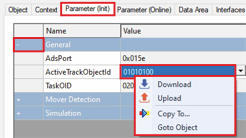
Read with XTS Utility library or ADS
The actual values for the position can be read using the XTS Utility library or ADS.
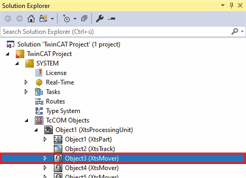
- ►Expand Solution Explorer > TwinCAT Project > SYSTEM > TcCOM Objects > XTSProcessingUnit
- ►Double-click on Object (XtsMover)
- ►In the project window click on the Parameter (Online) tab
- ►Expand General
- ►Right-click in the input field ActiveTrackObjectId to open the context menu
- ►In the context menu click Download