Timing Analysis 1Ch

The Timing Analysis 1Ch measures time differences between on- and off-periods and counts the amount of on-periods. The on-period starts when the condition of operator and threshold is met.
Optionally, a Boolean signal can be selected for the Enable Execution input so that the algorithm is only active if the value of the selected signal is TRUE.
Configuration options
- Operator: Specifies whether the input value should be greater than, greater than or equal to, less than or equal to, less than or not equal to the threshold.
- Threshold: Signal threshold.
- Tolerance (optional): Tolerance value for the Equal / NotEqual comparisons.
Output values
- Is On: Indicates TRUE within the timespan of the On period, otherwise FALSE.
- Current Interval: Indicates the time of the current interval.
- Last Interval: Timespan of the last completed interval.
- On Total: Indicates the total time for which the “Is On” value is TRUE.
- Off Total: Displays the total time for which the “Is On” value is FALSE.
- Count On: Counts the number of triggered On events.
Standard HMI Controls
For the Timing Analysis 1Ch algorithm, the following HMI controls are available for generating an Analytics Dashboard:
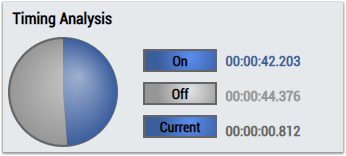
1. The TimingAnalysis Control visualizes the output values Is On, On Total, Off Total and Current Interval.
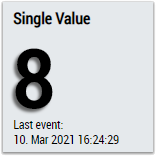
2. The SingleValue control visualizes the output value Count On.
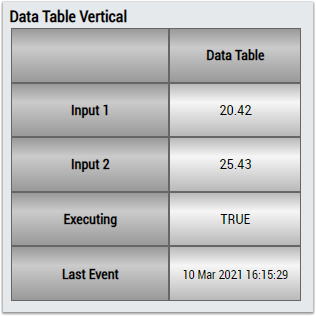
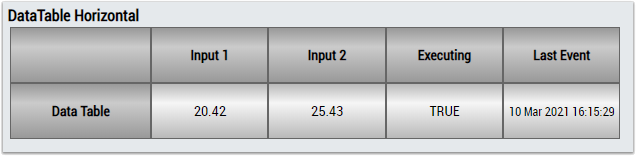
3. The Table Control or Multivalue Control visualizes all output values: Is On, Count On, Current Interval, On Total, Off Total.
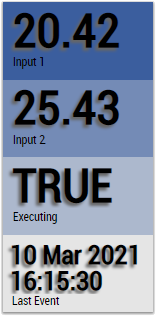
Alternatively, customer-specific HMI controls can be mapped in the Timing Analysis 1Ch algorithm using the Mapping Wizard.