Calibrating the touch panel
You can recalibrate the touch panel.
Proceed as follows:
- 1. On the CE device, click Start > Control Panel > CxConfiguration > Display Settings.
- 2. Click Calibrate on the TouchScreen tab.
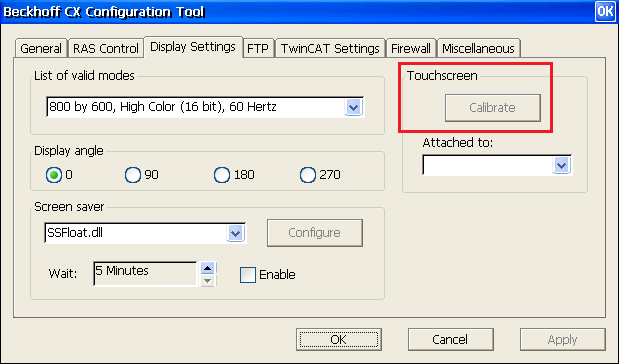 Fig.7: Beckhoff CX Configuration Tool.
- The touch panel will be recalibrated.