Program structure
Topics:
Object-orientated programming
To take advantage of object-oriented programming, you should structure the PLC program in classes. Instead of a large number of function blocks, a selection of classes used with appropriate methods is used.
The benefits and user-friendliness of an object-oriented implementation should be assessed on an individual basis.
Comments
Avoid unnecessary comments as much as possible. Instead, the naming and program code should be self-explanatory, if possible, so that no further commenting is necessary. If a comment is required because it contributes significantly to understanding (e.g. units), note the following points:
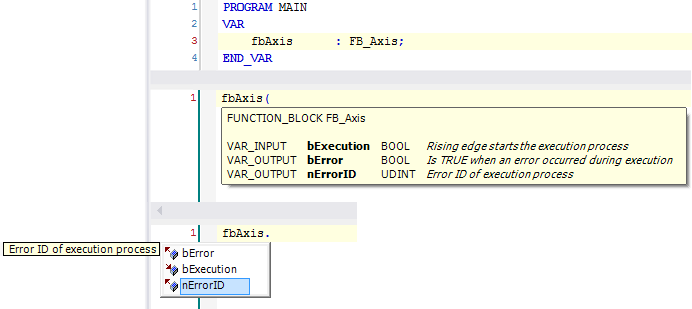
Comments are intended to describe the use, benefits and content of program elements and their components and thus make programs quickly and easily understandable. They show up when viewing the program element and are also displayed in the form of a tooltip.
Comment place
If a comment is provided, it is located in the following places:
- Comments for program elements: above the first line of the element declaration (e.g. above the FUNCTION_BLOCK keyword)
- Comments for variables: in the same line following the declaration
- Declaration/program block: in the line above the block
Comment operator
- For single-line comments, the comment operator '//' is used.
- For comments that affect multiple lines, the comment operator '//' or the operator '(* ... *)' are used.
Sample
// This function block represents an axis
FUNCTION_BLOCK FB_Axis
VAR_INPUT
     bExecution    : BOOL;     // Rising edge starts the execution process
END_VAR
VAR_OUTPUT
     bError        : BOOL;     // Is TRUE when an error occurred during execution
     nErrorID      : UDINT;    // Error ID of execution process
END_VAR