Integrating EPP7041 into a TwinCAT project
- 1. Integrate EPP7041 as an IO module in TwinCAT (Quick Start Guide).
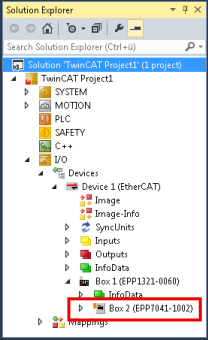
- A dialog box appears:
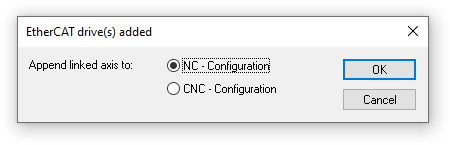
You now have two options:
- Click "OK" (recommended) …
- … if you want to use the TwinCAT NC functions and you have not yet created the axis to be controlled in the current TwinCAT project.
- Click "Cancel" …
- … if you do not want to use the TwinCAT NC functions.
- … if you have already created the axis to be controlled in TwinCAT.
Note: This information is not binding. In other words, you can link an NC axis with EPP7041 at a later stage or disconnect the link.
When you click "OK":
- In the Solution Explorer under the entry "MOTION", a new NC task "NC-Task 1 SAF" is created if no NC task is available there yet.
- A new NC axis is created in the NC task under "Axes": "Axisn".
- The newly created NC axis is automatically linked to EPP7041.