Continuous Valve Actuator
This module controls a continuous valve.
Settings
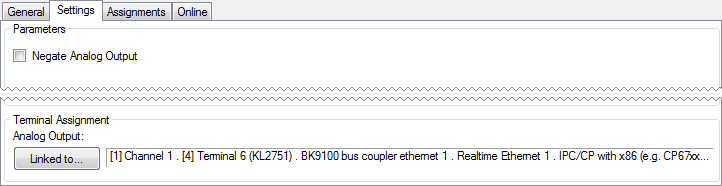
Parameters
- Negate Analog Output: Within the Building Automation Framework, the control value is counted in percentage. For the analog output terminal however the percentage value is converted to an integer range from 0 to 32767. When negation is activated, the percentage value will be converted to the complementary range from 32767 down to 0.
Examples: - Control ValueAnalog output valueAnalog output value (negated)0%03276720%65532621440%131071966060%196601310780%262146553100%327670
Online
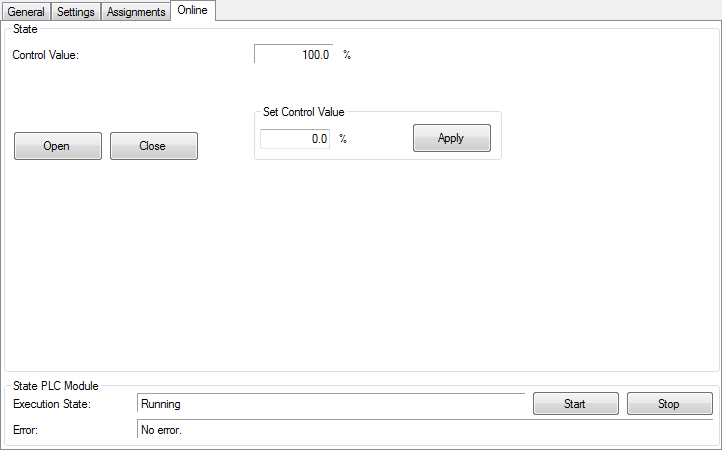
Commands
- Open: Opens the valve completely. The control-value will be set to 100%.
- Close: Closes the valve completely. The control-value will be set to 0%.
- Set Control Value: A value between 0% and 100% can be entered manually and will be taken over to the Control Value by pressing Apply.
State
- Control Value: Actual control value.
State PLC Module
- Execution State: Shows if the module is running or stopped.
- Error: In case of an error, the error code and the error parameter are displayed in this box.
- Start/Stop: Starts/stops the module.