Sample program TwinCAT 3

Preparation to start the sample program (tpzip file/ TwinCAT 3)
- After clicking the Download button, save the zip file locally on your hard disk, and unzip the *.tpzip -archive file into a temporary working folder.
- Create a new TwinCAT project as described in section:
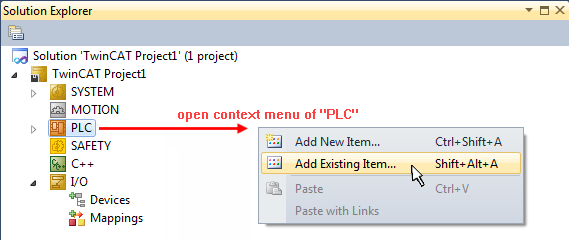
TwinCAT Quickstart, TwinCAT 3, Startup - Open the context menu of "PLC" within the "Solutionexplorer" and select "Add Existing Item..."
- Select the beforehand unpacked .tpzip file (sample program).
- This example requires a PLC control with a terminal EL2202-0100. You can use either an embedded PC that has the terminal placed on the right or an IPC with an EtherCAT link of an e.g. RJ-45 connector to the EK1100 coupler with the terminal (e.g. C6915 + EK1100 + EL2202-0100).
- Within this example it’s not necessary to connect the terminals outputs (as there will be the DC operation mode used only). However the Sync Master needs a link to a variable. The external “bDummyOut” variable is designated for that, so it has to be linked with one of the both channels of the terminal.
Also see more hints in section:
Commissioning, TwinCAT Quickstart, TwinCAT 3, Startup.