Standard scene
A scene can send different commands to actuators, groups of actuators, functional units, sensors, groups of sensors and to other scenes. In this way it is possible to adapt a room, a floor or a whole building to certain circumstances with just one call.
Settings

Parameter
- Summing of scenes: if activated, all light commands that set the value directly to 0 are ignored. This prevents the lighting being switching off when this scene is called.
Commands
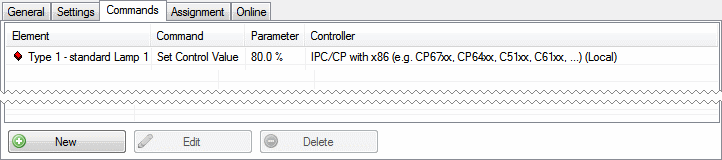
Pressing the New button opens the Scene assistant.
Scene assistant
The scene assistant guides you through the three steps required to configure a scene.
Step 1 - Command recipient
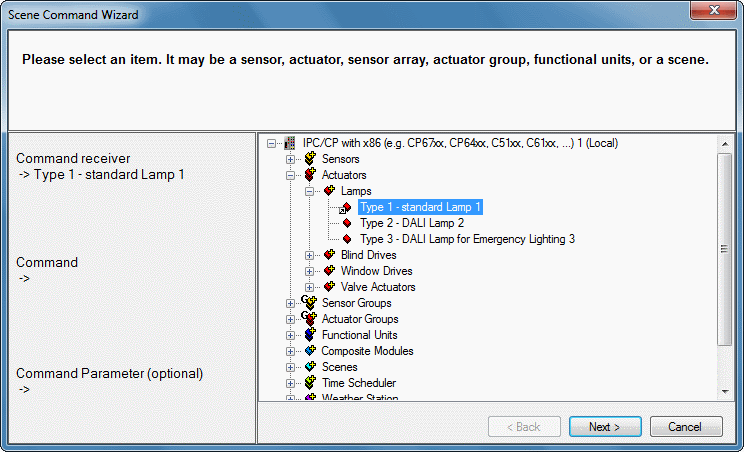
Select the command recipient that is to be activated when the scene is called.
Step 2 - Command
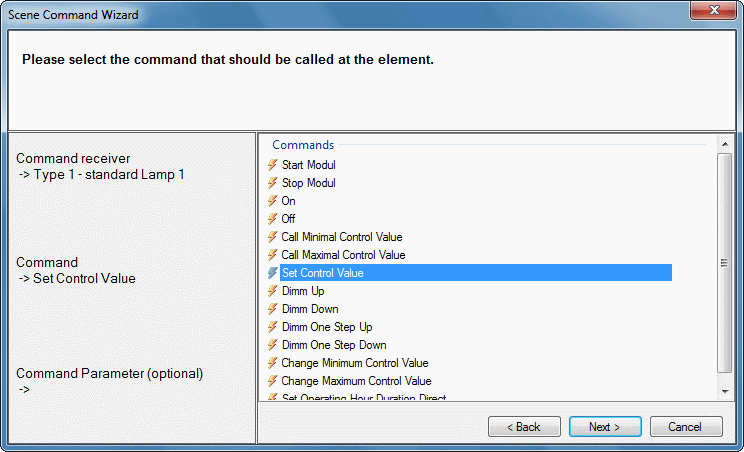
Selection of the command which the command recipient is to execute.
Step 3 - Command parameters (optional)
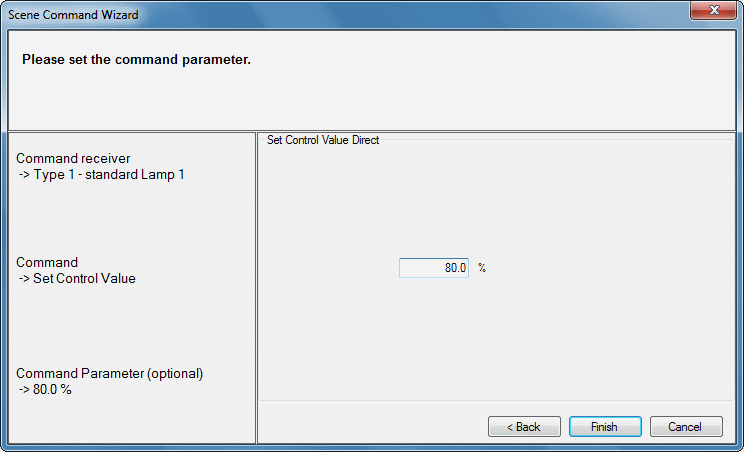
If the selected command can accept further parameters, they can be entered here.
Online
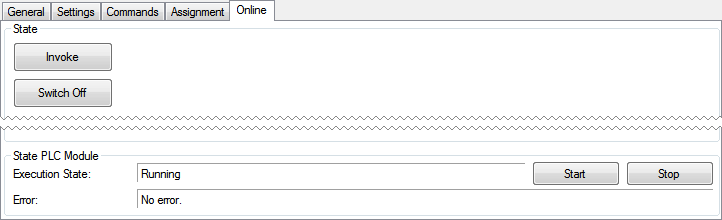
Commands
- Call: the scene is called.
- Switch off: all elements contained in this scene receive the command Off or Stop. If an element does not support either of the two commands, it is ignored.
PLC module status
- Execution status: indicates whether the module is running or has stopped.
- Error: in the event of an error the error code and the error parameter can be seen here.
- Start/stop: starts/stops the module.