Orbiting with tilted plane
The figure below shows an electrode cut away by 30° and the resulting workpiece. Assume that a contour error occurs during orbiting on the normal X/Y plane.
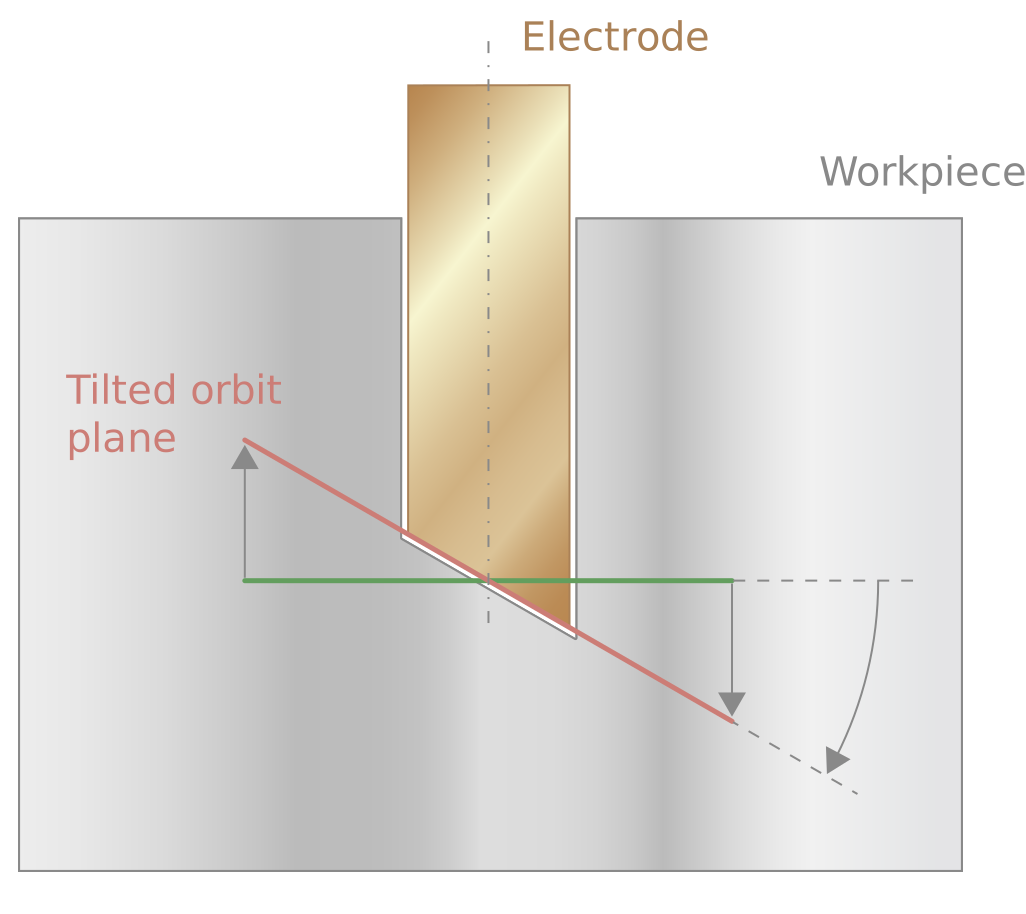
The example below shows how this workpiece can be eroded. This geometry is possible without causing any problems in orbiting the undersize by tilting the X/Y plane of the orbit channel at an angle. The tilt can be achieved by an angle projection (kinematic type 214) on the PCS plane.
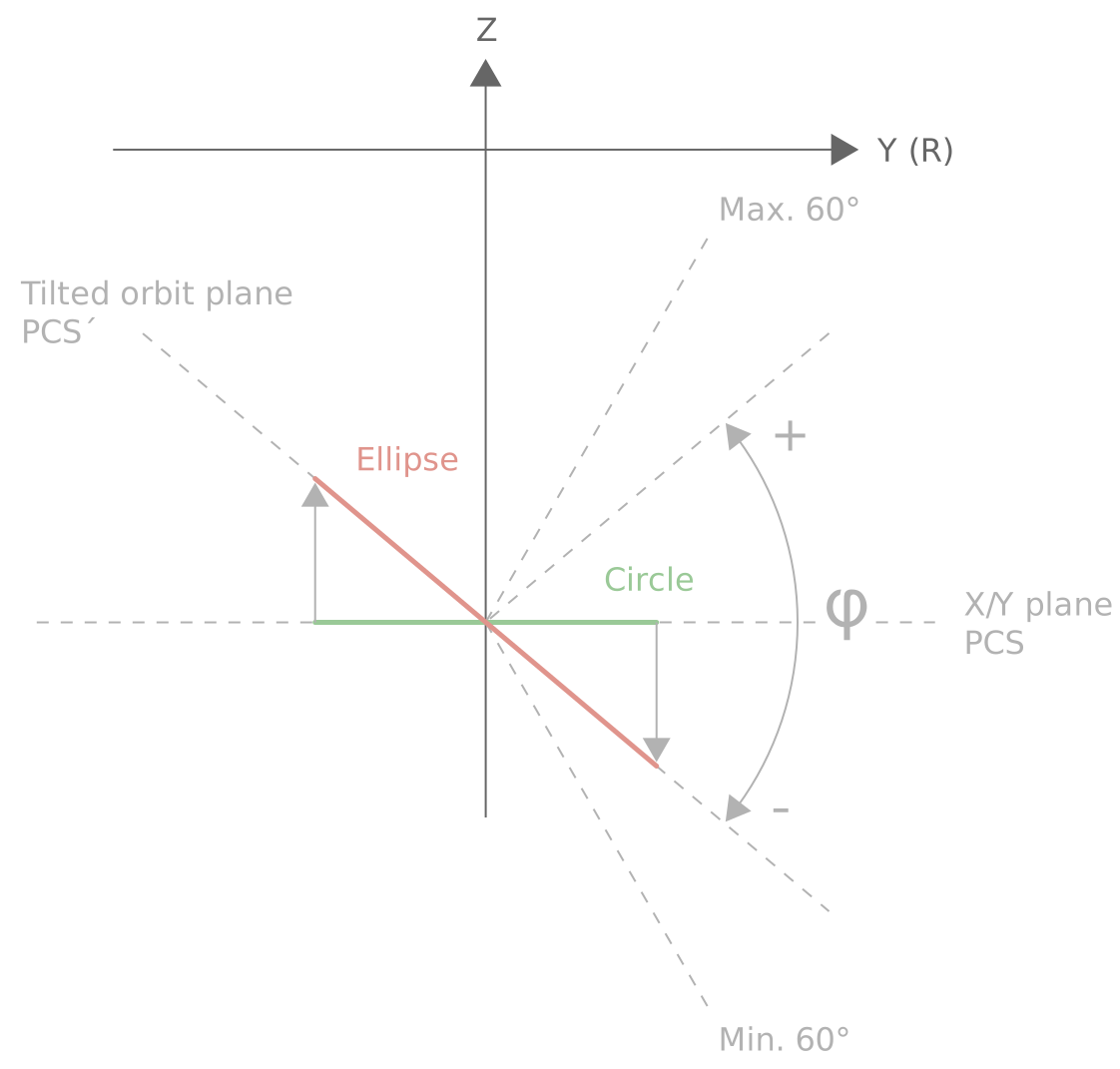
The transformation must be activated in all three channels in order to correctly take into consideration the dynamics of all channels.
Example
Parameterisation for angle projection
Down channel
trafo_pcs[0].trafo[0].id 214
trafo_pcs[0].trafo[0].param[1] -30000
trafo_pcs[0].trafo[0].param[1] 1 ( logical axis number of the Y axis )
( in the down channel)
Orbit channel
trafo_pcs[0].trafo[0].id 214
trafo_pcs[0].trafo[0].param[1] -30000
trafo_pcs[0].trafo[0].param[1] 21 ( logical axis number of the Y axis )
( in the orbit channel)
Escape channel
trafo_pcs[0].trafo[0].id 214
trafo_pcs[0].trafo[0].param[0] -30000
trafo_pcs[0].trafo[0].param[1] 31 ( logical axis number of the Y axis )
( in the escape channel)
Programming Example
PCS angle transformation in the channels
Down channel
; Define the CS for path erosion
N0690 #CS ON [APP] [0, 0, 0, 0, 0, 0]
N0770 L DS-ActivateEscape-ACS.sub
N0780 LL EDMOn
N0790 L geometry_erosion_on_path.nc
; CS for orbiting
N0850 #CS ON [PCS] [0, 0, 0, 0, 0, 0]
N0855 #TRAFO PCS ID[214] ; Change the ID of the PCS transformation
N0860 #TRAFO PCS ON ; Activate the PCS transformation
N0870 L DS-ActivatePlanetary.sub
N0890 LL Geometrie_Planetary
N0920 ;------- end machining
N0930 L DS-DeactivatePlanetary.sub
N0940 L DS-DeactivateEscape.sub
N0950 #TRAFO PCS OFF ; Deactivate the PCS transformation
; …
Orbit channel
N2090 #CS SELECT [PCS]
N2091 #TRAFO PCS ID[214] ; Change the ID of the PCS transformation
N2095 #TRAFO PCS ON ; Activate the PCS transformation
N2100 L PlanetaryStartingPoint.sub
N2110 #RT CYCLE DELETE [ ID4711 ]
N2120 #RT CYCLE [ ID4711, SCOPE=GLOBAL ]
N2130 V.RTG.LOOP.ENABLED = TRUE
N2140 #RT CYCLE END
N2150 #SIGNAL SYN[ID="S-PlanetaryReady" CH="CH-Sinking"]
N2160 #RT WHILE
N2170 L geometry.sub
N2180 #RT ENDWHILE
N2190 #CS DEL ALL
N0950 #TRAFO PCS OFF ; Deactivate the PCS transformation
N2200 M30
Escape channel
N0010 #TRAFO PCS ID[214] ; Change the ID of the PCS transformation
;…
N100 #ESCAPE PATH DEF BEGIN ( Define the geometry for path erosion
N110 #CS ON [APP] [0,0,0,0,0,0] ;same CS as in the down channel
N120 #ESCAPE PATH BACKWARD STOP
N130 L geometry_erosion_on_path.nc
N150 #ESCAPE PATH POST SEQUENCE
N160 #CS DEL ALL
N170 #TRAFO PCS ON ;PCS transformation only acts after
; path erosion in the CS of the down channel for orbiting
N180 #ESCAPE PATH DEF END
;…
; Deselecting the PCS transformation is not necessary
; …