Access to events
Some of the IO-Link sensors forward events that occur to the master. These events may be items of information, warnings or error messages, e.g. short circuit or overheating.
The IO-Link master reports these events by setting the Device Diag bit. Further information on the events can be read via the CoE directory or the DiagHistory tab.
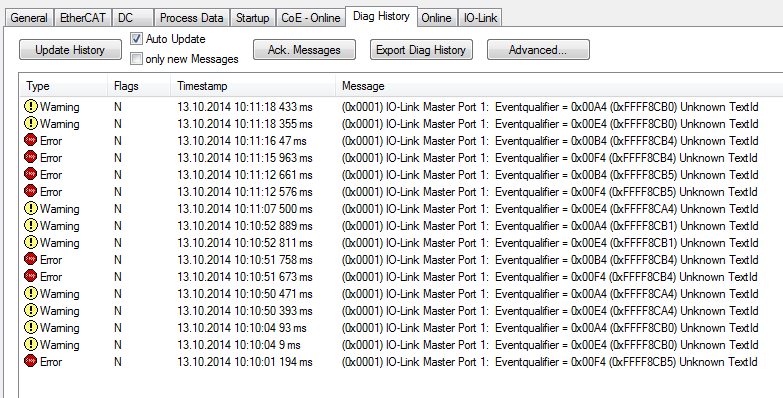 Fig.59: DiagHistory tab
The events are arranged according to type (information, warning, error), flag, occurrence of the event (time stamp) and message (port number & event code).
The meaning of the individual messages can be taken from the vendor documentation. The IO-Link device can be directly allocated on the basis of the port number. The events occurring can be managed using the various buttons.
- Update History: if the "Auto Update" field is not selected, then the current events can be displayed via the "Update History" button
- Auto Update: if this field is selected, then the list of events occurring is automatically updated
- Only new Messages: if this field is selected, then only those messages that have not yet been confirmed are displayed.
- Ack. Messages: an event that occurs is reported via the Device Diag. Confirming the message will reset the bit to 0.
- Export Diag History: the events that have occurred can be exported as a "txt" file and thus archived.
- Advanced: this field currently (as at 3rd quarter 2015) has no function.