Installation
This part of the documentation gives a step-by-step explaination of the TwinCAT OPC-UA setup process for Windows XP based operating systems. The following topics are part of this document:
- Downloading the setup file
- Starting the installation
- After the installation
Downloading the setup file
Like many other TwinCAT Supplement products, Modbus TCP is available for download in the Beckhoff download finder. The download represents the most current version, which can be licensed either as a 30-Day Demo or as a full version. To download the setup file, please perform the following steps:
- Open a connection to Beckhoff download finder.
- Select TS6250-0030 TwinCAT Modus Server and download the file via the download-cart.
Starting the installation
To install the Supplement, please perform the following steps:
- Double-click the downloaded setup file. Please note: Under Windows 7 32-bit/64-bit, please start the installation with "Run as Administrator" by right-clicking the setup file and selecting the corresponding option in the context menu.
- Select an installation language
- Click on "Next" and accept the license agreement
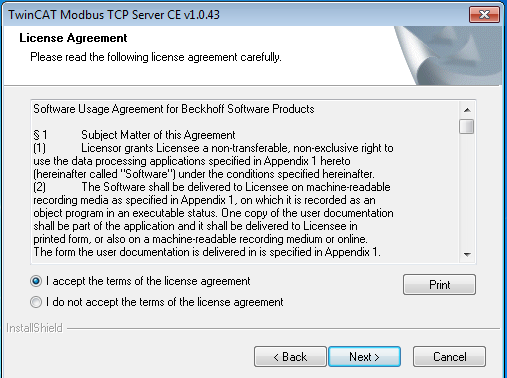
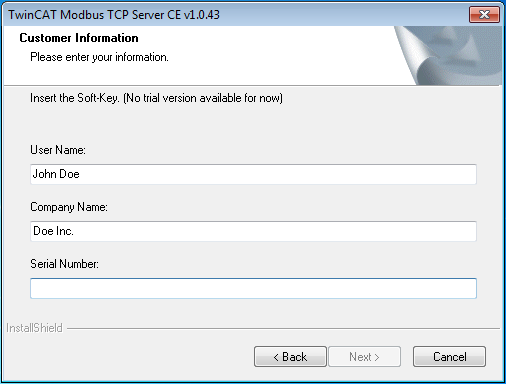
- Enter your user information. All fields are mandatory.
- Click on ""Install" to start installation
- At the end of the setup process, you will find the CAB-installation-files in this folder: /TwinCAT/CE/TCModbusTCP/Install
Windows CE Installation
- Copy the appropriate CAB file to your target CE-system (e.g., USB stick, network share)
- use TcModbusTcpSvrCe.ARMV4I.cab for ARM devices (e.g., CX9000) and TcModbusTcpSvrCe.I586 for x86 devices (e.g., CX5000)
- Execute the cab file on the target and accept the following dialog with OK.
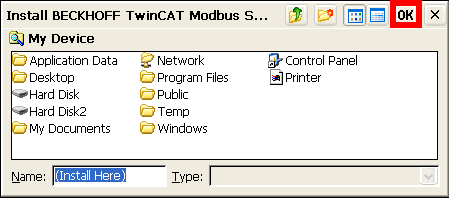
Note: The installer selects as target folder /Hard Disk/System by default.
- After the installation you must restart your CE device.
After the installation
The Supplement "TwinCAT Modbus TCP" is automatically configured by setup and provide the default mapping to the TwinCAT PLC.
See also