Open the parameter directory (CoE)
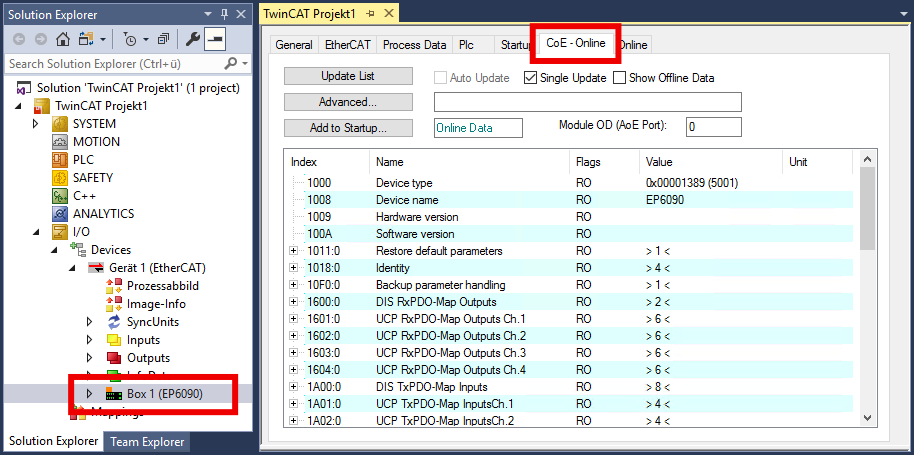
- 1. In the Solution Explorer: Double-click EP6090.
- 2. Click on the "CoE - Online" tab.
- You will see the CoE directory of the EP6090-0000. Here you can check and change parameter values.
 | Resetting parameters to factory settings If you do not know whether parameters have already been changed by the present EP6090-0000, you can reset all parameters to the factory settings. |