Installation
This part of the documentation gives a step-by-step explaination of the TwinCAT TCP/IP Server setup process for Windows XP based operating systems. The following topics are part of this document:
- Downloading the setup file
- Starting the installation
Downloading the setup file
Like many other TwinCAT Supplement products, TCP/IP Server is available for download via the Beckhoff FTP-Server. The download represents the most current version, which can be licensed either as a 30-Day Demo or as a full version. To download the setup file, please perform the following steps:
- Select the TS6310 | TwinCAT TCP/IP Server from the BECKHOFF website.
- (Optional) Transfer the downloaded file to the TwinCAT runtime system, where you would like to install the Supplement.
Starting the installation
To install the supplement, please follow the steps below:
 | Please start the installation under Windows 7 32-bit/64-bit using "Run as administrator" by clicking on the setup file with the right mouse button and selecting the appropriate option in the context menu. |
- Double-click the downloaded file "TcpIpServer.exe".
- Select the language in which you wish to install the software.
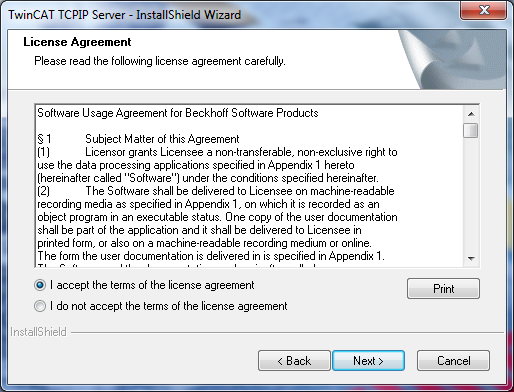
- Click on "Next" and then accept the license agreement.
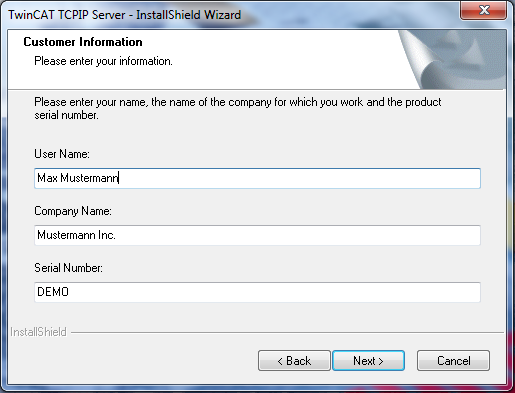
- Enter your user data. All visible fields are mandatory fields. If you want to install a 30-day demo version, please enter "DEMO" as license key.
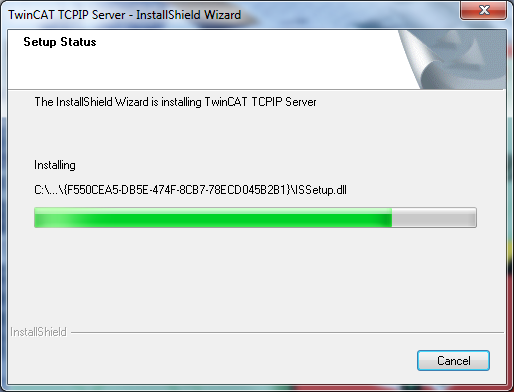
- Click on "Install" to start the installation.
- To complete installation, please restart your computer.