Integration of EtherCAT plug-in modules in the NC configuration
(Master: TwinCAT 2.11 R3)
 | Installation of the latest XML device description Please ensure that you have installed the corresponding latest XML device description in TwinCAT. This can be downloaded from the Beckhoff Website and installed according to the installation instructions. |
Requirements for the integration in the NC:
- The TwinCAT NC can only be used for the CSP and CSV operation modes.
- The module must already be installed under I/O devices
- manually inserted
(see EtherCAT system documentation "OFFLINE Creation of the configuration") or - have been scanned by the system
(see EtherCAT system documentation "ONLINE Creation of the configuration").
Adding an axis automatically
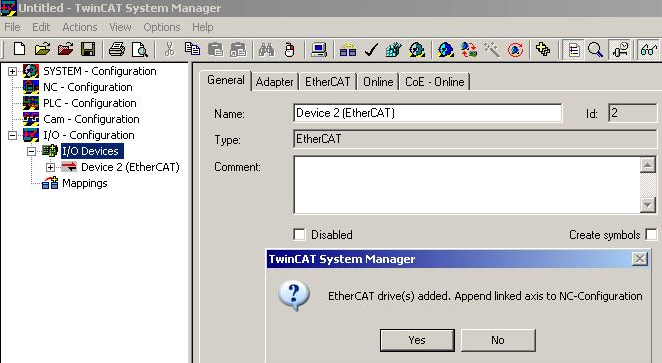
- TwinCAT detects the new axes automatically once the modules have been successfully scanned. The user is asked whether the detected axes should be added
automatically (see Fig. Axis detected). If this is confirmed, all axes are automatically liked to the NC.
- Several parameters have to be set before the motor can be started up. See chapter "Configuration of the TwinCAT NC".
Please set these parameters before continuing with the motor commissioning procedure.
Adding an axis manually
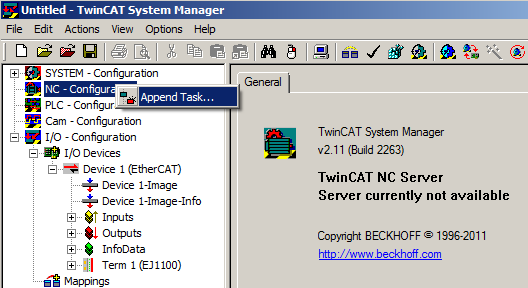
- First add a new task. Right-click on NC Configuration and select "Append Task..." (see Fig. Adding a new task).
- Rename the task if required and confirm with OK.
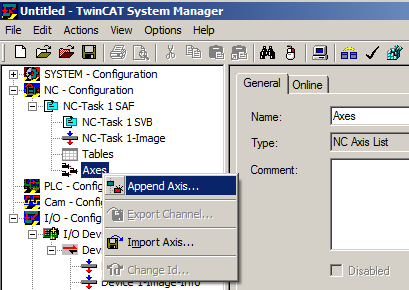
- Right-click on Axes, then add a new axis (see Fig. Adding a new axis).
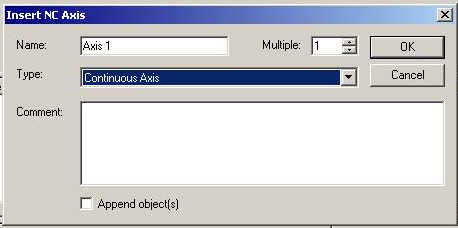
- Select Continuous Axis type and confirm with OK (see fig. Selecting and confirming the axis type).
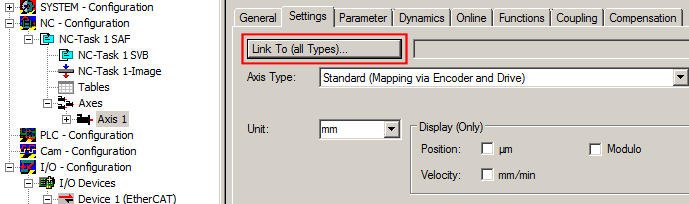
- Left-click your axis to select it. Under the Settings tab select "Linked to..." (see fig. Linking the axis to the module).
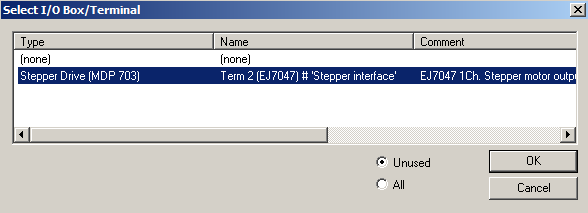
- Select the right module (e.g. Stepper Drive (MDP 703)) and confirm with "OK".
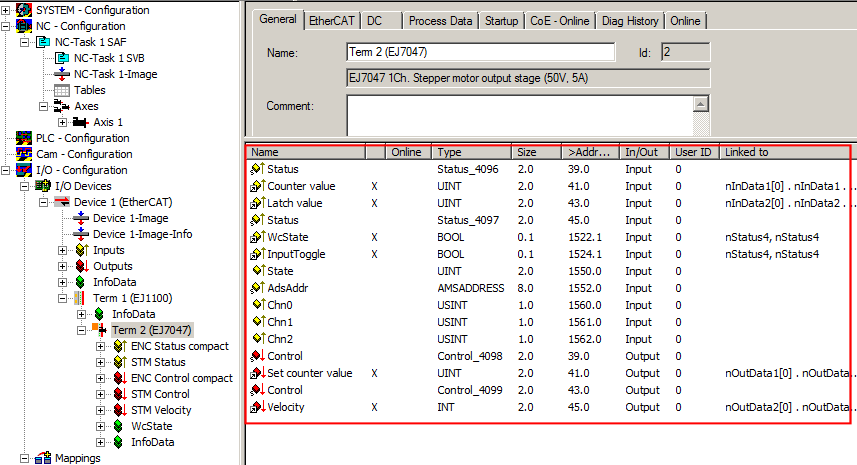
- All main links between the NC configuration and the module are set automatically (see figure below)
- Several parameters have to be set before the motor can be started up. See chapter "Configuration of the TwinCAT NC".
Please set these parameters before continuing with the motor commissioning procedure.