Transmission of cyclic process data as DMX master (EL6851)
Starting the example program
The application examples have been tested with a test configuration and are described accordingly. Certain deviations when setting up actual applications are possible.
The following hardware and software was used for the test configuration:
- TwinCAT master PC with TwinCAT version 2.11 (Build 2229) or newer and INTEL PRO/100 VE Ethernet adapter
- Beckhoff EtherCAT Coupler EK1100, EL6851 and EL9011 Terminals
- RGB-LED DMX slave with 3 channels (one for each colour). One slot is occupied per channel.
The DMX slave is to be wired in accordance with the connection diagram.
Procedure for starting the program
- Save the TSM file for the TwinCAT System Manager and the PRO file for TwinCAT PLC Control
- locally on your hard drive.
- Start the *.TSM file and the *.PRO file; the TwinCAT System Manager and TwinCAT PLC Control open.
- Connect the hardware in accordance with fig. 1 and connect the Ethernet adapter of your PC to the EtherCAT coupler (further information on this can be found in the corresponding coupler manuals)
- Select the local Ethernet adapter (with real-time driver, if one) under System configuration, I/O configuration, I/O devices, Device (EtherCAT); on the "Adapter" tab choose "Search...", select the appropriate adapter and confirm (see Fig. 2a + 2b)
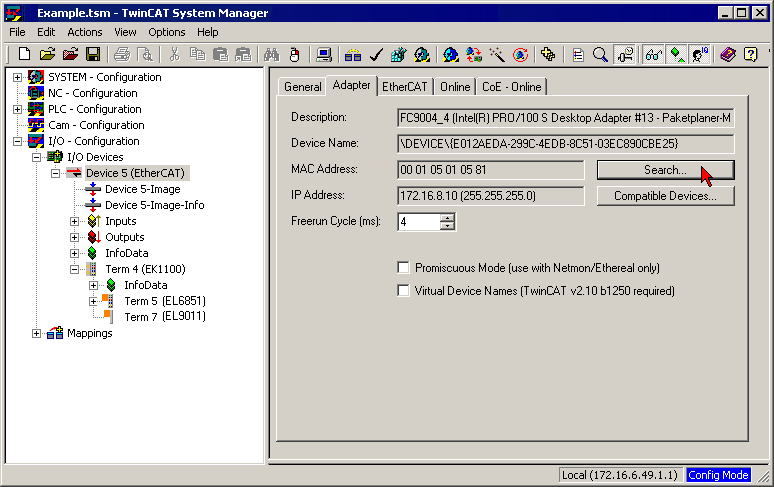
Fig. 2a: Searching the Ethernet adapter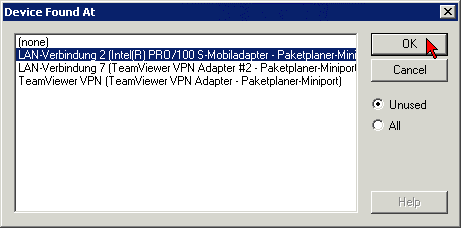
Fig. 2b: Selection and confirmation of the Ethernet adapter- Activation of the configuration and confirmation (Fig. 3a +3b)
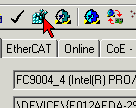
Fig. 3a: Activation of the configuration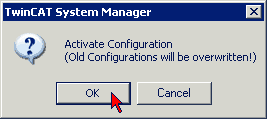
Fig. 3b: Confirming the activation of the configuration- Confirming new variable mapping, restart in RUN mode (Fig. 4a + 4b)
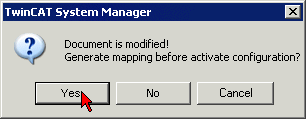
Fig. 4a: Generating variable mapping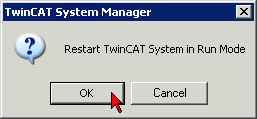
Fig. 4b: Restarting TwinCAT in RUN mode- In TwinCAT PLC Control, under the ‘Project’ menu, select ‘Compile all’ to compile the project (Fig. 5)
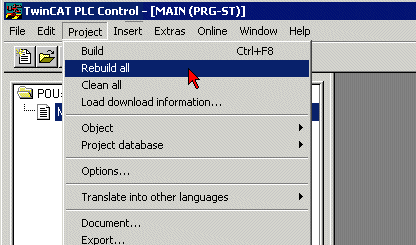
Fig. 5: Compile project- In TwinCAT PLC Control: log in with the "F11" button, confirm loading the program (Fig. 6), run the program with the "F5" button
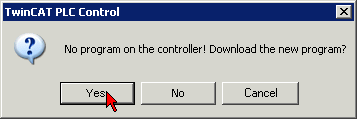
Fig. 6: Confirming program start
Visualization
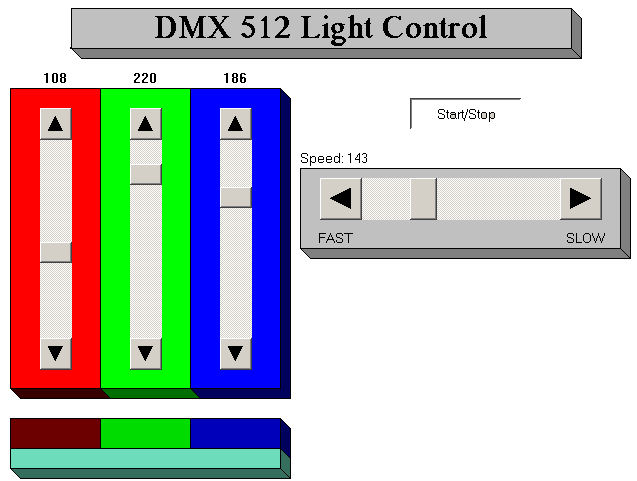
Fig. 7: Specification of the setting variables for the three colours of the DMX slave in TwinCAT PLC Control
The example transmits the DMX data cyclically to a DMX slave. The DMX device used here occupies three slots (bytes) in the DMX 512 frame. Each slot addresses one of the three colours. If the ‘Start/Stop’ button is pressed, then automatically generated data is transmitted to the DMX device. The speed of the changes can be altered using the horizontal slide control. If the 'Start/Stop' button is not pressed, you can change the values manually using the three vertical slide controls.