Installation of the UPS software components from Beckhoff driver archive CD/DVD
Operating systems supported:
- Windows 10 (32 and 64 bit)
- Windows Vista and Windows 7 (32 and 64 bit, from UPS Software version >= 3.0.0.5)
- Windows XP and Windows XP Embedded
- Windows 2000
- Windows NT 4.0
UPS hardware supported:
- Beckhoff HID UPS models (CU8130-0240, CU8130-0120, CU8110-0120)
- 24V Beckhoff UPS BAPI v1 models (CA2000-002x power supply)
- Integrated 24V Beckhoff P24Vxxxx UPS at the serial interface
- CX2100-09x4 models (e.g. CX2100-0904 or CX2100-0914 + "Smart Battery" CX2900-0192)
- Integrated 24V Beckhoff UPS on the CP9030-ISA or CP9035-PCI card
- APC devices supplied with Beckhoff Industrial PCs that support the Smart protocol
The following languages are supported:
- German
- English
The following files are copied into the ..\System32 or ..\SysWOW64 directory during installation:
- TcHidUpsApi.dll
- TcUpsDrv.dll
- TcUpsShellExt.dll
- TcMM.sys
- TcMMHelper.dll
- TcUpsDll.dll
- TcUpsMsgRes.dll
- TcUpsSrv.exe (NT 4.0, Vista, Windows 7 and higher only)
- TcUpsShellExt.cpl (NT 4.0, Vista, Windows 7 and higher only)
The ..\Program Files\Beckhoff\UPS Software Components\xxxx directory receives the HTML documentation files (xxxx == Language identifier):
- TcUpsShellExt.chm
The ..\Winnt\Temp directory receives:
- Visual Studio 2008 Runtime libraries
- Visual Studio 2017 Runtime libraries
- hhupd.exe (HTML Help-Update, NT 4.0 only)
- vcredist.exe (Visual Studio 6.0 redistribution libraries, NT 4.0 only)
Carry out the following steps to install the software:
- Close all running applications. Please stop the UPS service (if allready running): Start->All Programs->BECKHOFF->UPS Software Components->UPS configuration->Select...->Manufacturer->(None) and then confirm with Finish and Apply (Windows XP and lower: Start->Control Panel->Power Options->BECKHOFF UPS configuration->Select...->Manufacturer->(None)).
- Uninstall the previous version of the software from the PC (if there is any under: Start->Control Panel->Programs and Features->Uninstall or change a program->UPS Software Components).
- Execute Beckhoff_UPSvX.X.X.X.exe which will install the UPS software components ( X = version numbers)
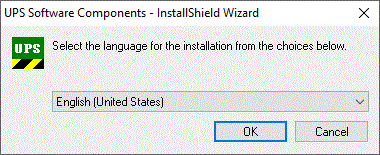
Select the desired language, and confirm with Next - The version of the software to be installed is displayed in the following dialog.
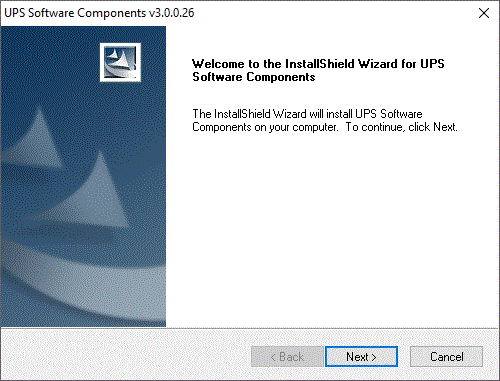
- The list with software components is displayed in the following dialog.
The NT4 installation shows two additional components. Confirm with Next.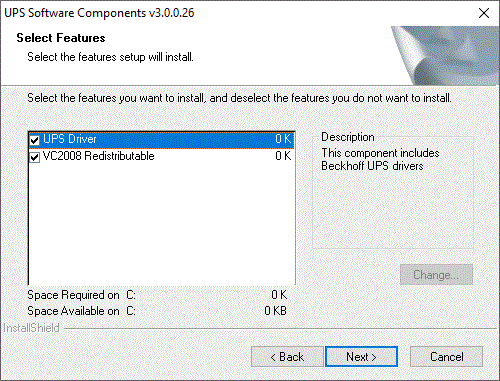
- HTML Help Update
- Visual Studio 6.0 redistribution libraries
- The PC will have to be restarted after installation.
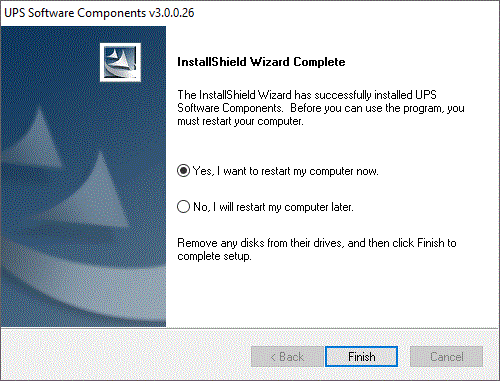
The installation is complete.