Notes re. EtherCAT Fast Hot Connect technology
EtherCAT components that support Fast Hot Connect enable a faster fieldbus boot up following the establishment of a connection. The boot up depends in detail on the number of devices, the topology and activated Distributed Clocks. Whereas the normal establishment of a connection and communication takes several seconds, less than 1 second is possible with FHC components.
Properties and system behavior
- Fast Hot Connect is supported from TwinCAT 2.11R3 Build 2221.
- Fast Hot Connect ports are specially marked.
- Standard EtherCAT devices may not be connected to Fast Hot Connect ports. This is to be ensured by measures on the application side, which is easy to implement by means of the topology change that is usually carried out mechanically in such applications.
- If corresponding ports are nevertheless connected, a power reset of the devices involved (branch terminal and coupler/box) is required.
- With Fast Hot Connect devices the establishment of an Ethernet connection is accelerated compared to the normal Fast Ethernet connection.
If in addition the use of Distributed Clocks functions is omitted in the entire topology, then the resynchronization time of the components is also dispensed with. Group boot up of < 1 second is then possible, from plugging in the Ethernet connection to the OP state. - An incorrect port allocation is detected in the TwinCAT ADS Logger
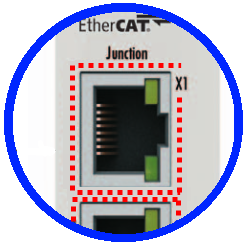 Fig.199: Identification of FHC port at EK1122-0080 and EK1101-0080
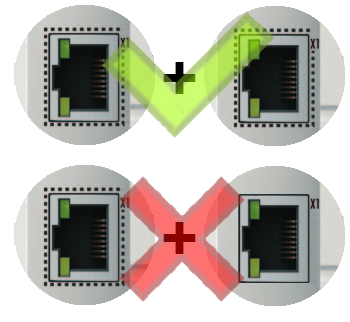 Fig.200: Recommended combination of Ethernet ports
 Fig.201: Detection of incorrect port allocation in the TwinCAT logger
Configuration
The configuration of Fast Hot Connect groups in the TwinCAT System Manager takes place in exactly the same way as Hot Connect groups, specifying the associated group ID.
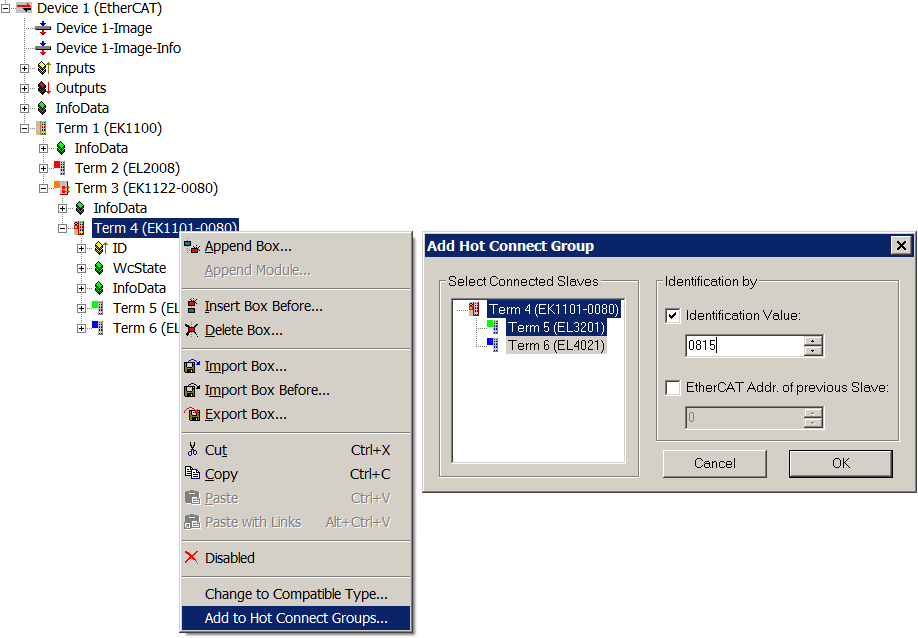 Fig.202: Configuration of a Fast Hot Connect group
Corresponding Fast Hot Connect ports are marked red in the TwinCAT System Manager.
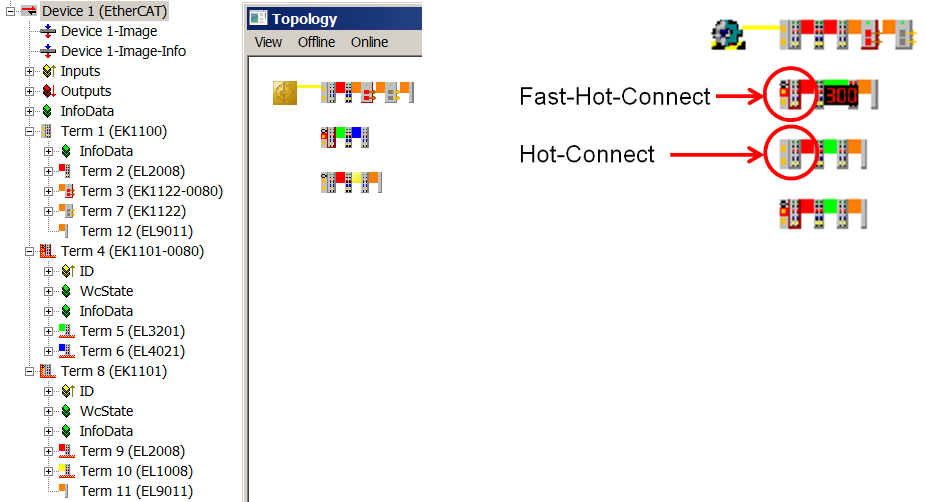 Fig.203: Marking in the TwinCAT System Manager
A configuration of FHC groups is possible only if at least 1 corresponding junction is present e.g. EK1122-0080.
Distributed Clocks
If no Distributed Clocks functions are used, this is visible in the master settings by the absence of “DC in use”:
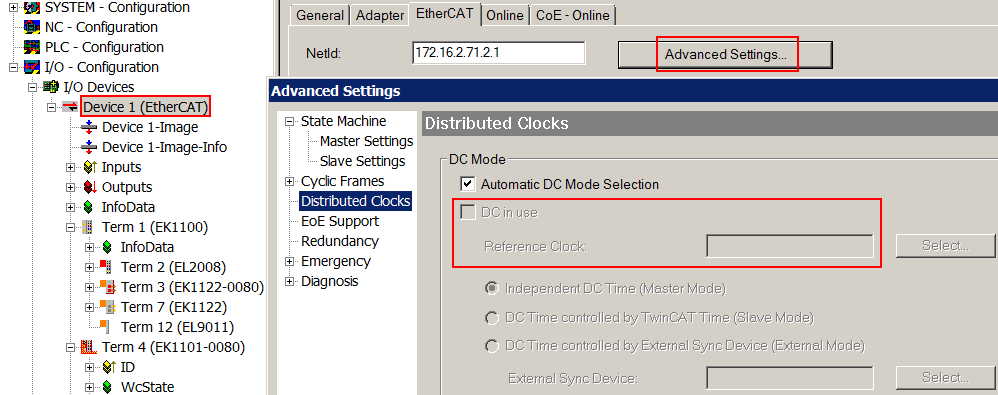 Fig.204: DC master setting
This setting is automatically selected by the System Manager if there are no EtherCAT slaves in the configuration in which Distributed Clocks is activated. “DC in use“ should not be randomly deactivated by the user, because otherwise these devices will no longer function.