Installation Windows CE
The installation on Windows CE is a two-step procedure:
Step 1: Installation of TwinCAT FTP-Client Supplement Software on a host computer
This topic will be covered in a separate installation manual and should not be discussed on this page.
By installing the Supplement-Software, the necessary files for Windows CE will be automatically installed to the TwinCAT sub directory ..\TwinCAT\CE\TwinCAT FTP Client CE on the host computer.
Step 2: Transfer of CAB files for Windows CE to the CE device
Transfer the corresponding CAB-File from the TwinCAT sub directory ..\TwinCAT\CE\TwinCAT FTP Client CE to the CE device (e.g. via MemoryStick/FTP/Public-Folder/CF-Adapter...). Which CAB file you actually need depends on the CPU architecture of your CE device:
- TcFtpClientCe.I586.cab: TwinCAT FTP-Client for x86 based CPUs (e.g. CX10xx, CP62xx, C69xx, ...)
- TcFtpClientCe.ARM.cab: TwinCAT FTP-Client for ARM based CPUs (e.g. CX9001, CX9010, CP6608, ...)
Please perform the following steps after you have transferred the CAB file to the CE device:
- Navigate to the directory where you transferred the setup file to

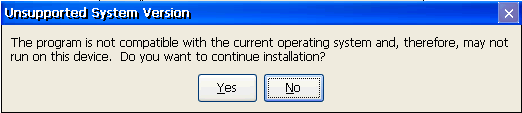
- Double-click the CAB file. Should you get a message box stating that this program is not compatible with the current operating system, please re-check if you used the correct CAB-file (ARM, I586) for your IPC/Embedded-PC.
- If you are sure that the CAB-file corresponds to the Embedded-PC/IPC, please acknowledge this message box with "Yes".
- Confirm that "\Hard Disk\System" has been selected as the destination directory
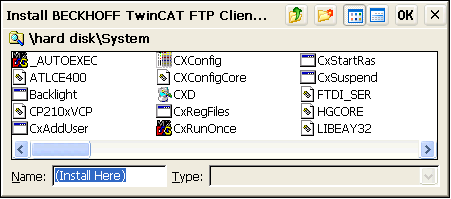
- To start installation, click on "Ok"
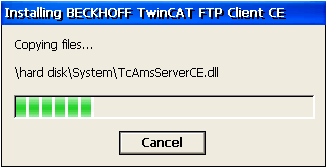
After installation, the setup file will be automatically deleted.
 | Please note that the TCP/IP Server will be available after a restart of your CE device. |
| If the TcFTPClient don't start automatically after a reboot and you get the ADS-Error 6, please check the version of the "StartUp.exe". Version 1.35 or later is necessary for the automatic start of TcFTPClient. |
Installation contents on the CE device:
- \Hard Disk\System"
- TcFTPClientCe.exe
- TcAmsServerCe.dll
- TwinCAT.Ads.dll
- TwinCAT.Ads.Server.dll