AX200x Profibus
Function blocks for the access to the AX20XX via Profibus (FC310x with firmware > 1.20).
Function blocks
Name | Description |
|---|---|
Write /read data for parameterization of the drive. It must be remembered that the "STOP" input of the AX2000AXACT block must be held TRUE while a parameter that will change the operating mode is being written. | |
Start Axis actions (must be called cyclic) | |
Jog Mode | |
Set the reference point, resp. start calibration | |
This function block combines the three previous function blocks.It offers the complete interface to the AX2000 with access to all functions(excepting parameters). |
Linking into the System Manager
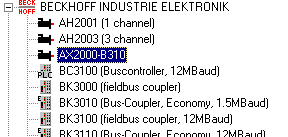
The "AX2000" box is inserted in the TwinCAT System Manager into the I/O configuration under the corresponding Profibus card.
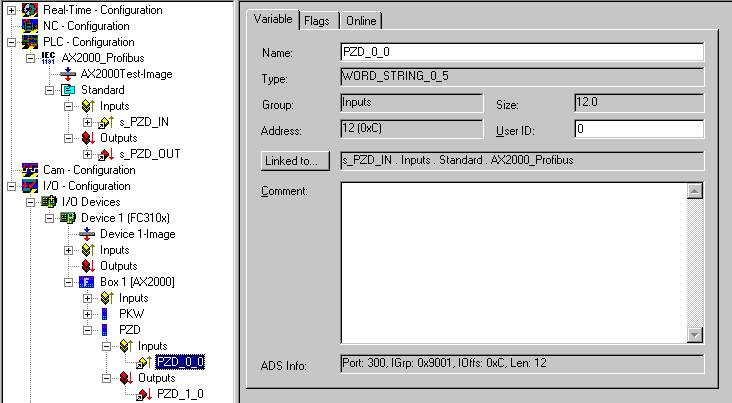
The I/O variables can now be linked directly to the corresponding I/O variables in the PLC application in the "PZD" (process data) module for the AX2000 box. The "PKW" module is not linked, because the PKW data is transmitted by ADS.
Notes on use of the function blocks
- Instances of the I/O structures stPZD_IN and stPZD_OUT must be created and addressed to be able to link them with the axis in the System Manager.
- After first being switched on, the drive is in a safe operating mode, which means that the "positioning" mode must be set before the first axis actions can be executed. This is done by setting the "bInit" input at the AX200X_Profibus block.
- The direction of travel in jog mode is specified by the arithmetic sign of "JogModeBasicVelo".
- Every reference travel, and every setting of the reference point, must be ended by setting bStop = TRUE.