Display window
In the display window (chart) the (time) markers are displayed over time, sorted according to the individual marker groups.
You can use the toolbar functions (see Toolbar - Real-time Monitor toolbar), as well as the mouse and similar devices, to navigate and zoom in and out of the display window.
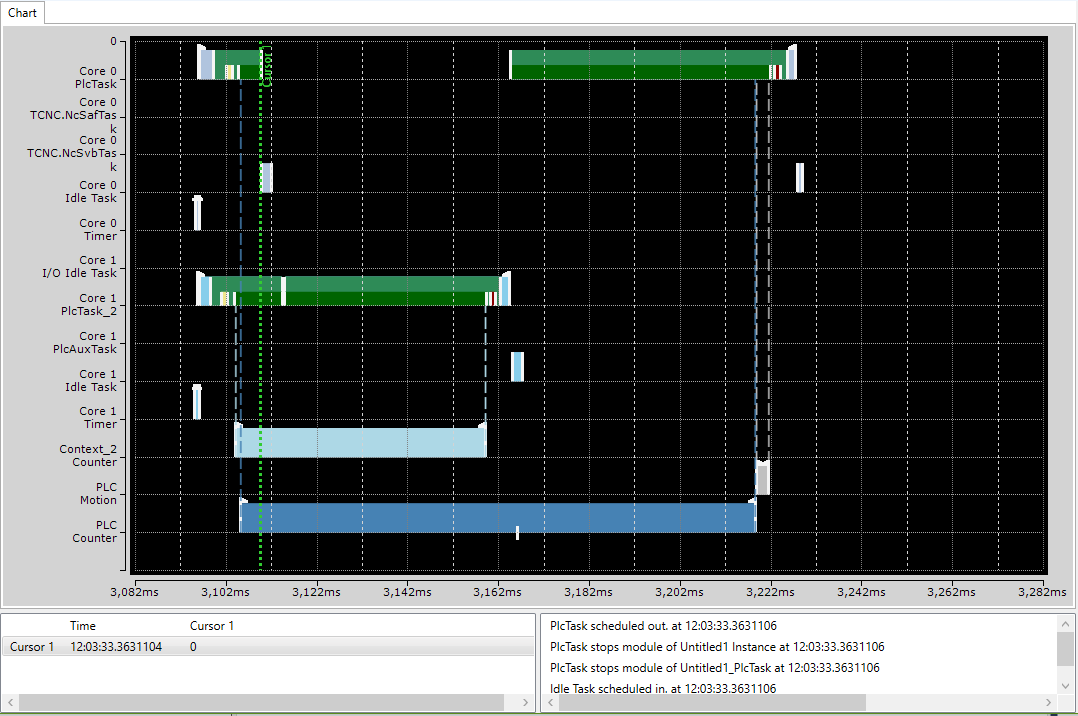
To carry out time measurements or analyses (see Use of cursors), set, delete or move cursors using the context menu.