Moving Average 1Ch

The Moving Average 1Ch calculates the moving average, the minimum and the maximum of the most recent input values in an interval of specified length. Furthermore the time values of minimum and maximum are shown. The calculation of the moving average depends on the configuration parameters Num Values and Startup Behaviour.
Optionally, a Boolean signal can be selected for the Enable Execution input so that the algorithm is only active if the value of the selected signal is TRUE.
Configuration Options
- Num Values: Amount of values which will be included in the calculation of the moving average, the minimum and the maximum.
- Startup Behaviour: Calculation behaviour at the beginning of the analysis before at least Num Values input values exist.
- ZeroPadding: The missing values are filled with zeros.
- UseFirstValue: The first value is used until the amount of values is equivalent to Num Values.
- WaitUntilFilled: The first result is calculated when the amount of values is equivalent to Num Values.
- AvgOverExisting: The average will be calculated with the already existing values until the amount of values is equivalent to Num Values.
Output Values
- Moving Avg: Shows the current average value.
- Moving Min: Shows the minimum of the last n input values.
- Moving Max: Shows the maximum of the last n input values.
Standard HMI Controls
For the Moving Average 1Ch algorithm, the following HMI controls are available for generating an Analytics Dashboard:
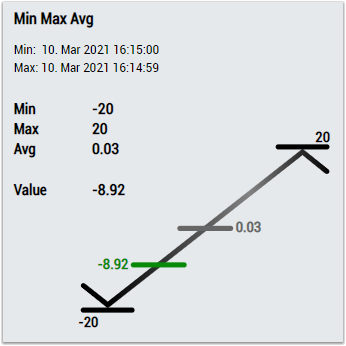
1. The MinMaxAvg control visualizes the output values Moving Min, Moving Max and Moving Avg as well as the input value of the data.
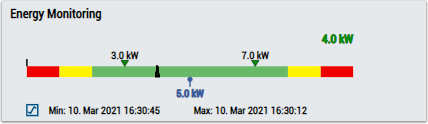
2. The EnergyMonitoring control visualizes the output values Moving Min, Moving Max and Moving Avg, and the input value of the data.
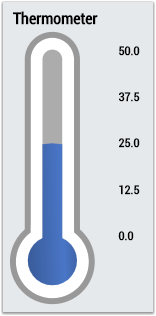
3. The Thermometer control visualizes the average (Moving Avg) temperature.
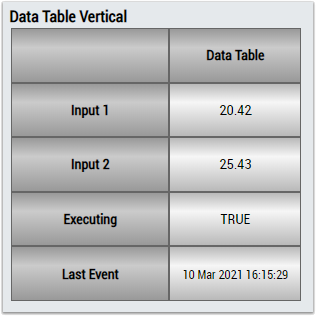
4. The Table Control or Multivalue Control visualizes all output values: Moving Min, Moving Max, Moving Avg.
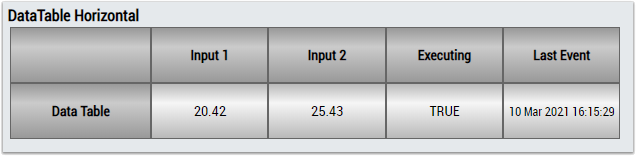
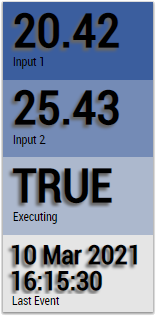
Alternatively, customer-specific HMI controls can be mapped in the Moving Average 1Ch algorithm using the Mapping Wizard.