Settings
The dialog mask for the parameterization of the KL4494 can be found under Settings.
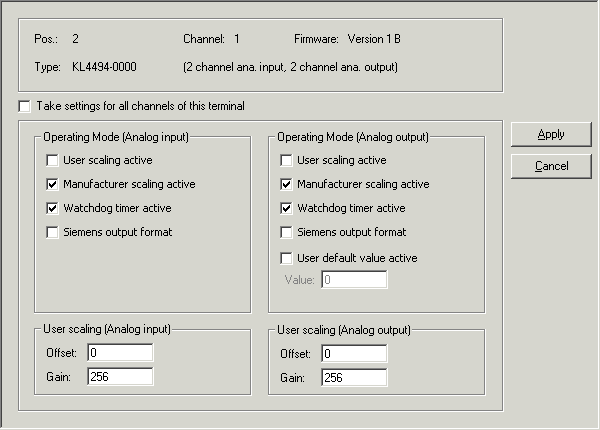
Operation Mode (analog input)
- User scaling active (R32.0)
You can activate user scaling here (default: deactivated).
- Manufacturer scaling active (R32.1)
You can deactivate manufacturer scaling here (default: activated).
- Watchdog timer active (R32.2)
You can deactivate the watchdog timer here (default: activated).
- Siemens output format active (R32.3)
You can activate Siemens output format here (default: deactivated).
Operation Mode (analog output)
- User scaling active (R32.8)
You can activate user scaling here (default: deactivated).
- Manufacturer scaling active (R32.9)
You can deactivate manufacturer scaling here (default: activated).
- Watchdog timer active (R32.10)
You can deactivate the watchdog timer here (default: activated).
- Siemens output format active (R32.11)
You can activate Siemens output format here (default: deactivated).
- User switch-on value active (R32.12)
You can activate the user switch-on value here (default: deactivated).
- User switch-on value (R35)
You can specify the user switch-on value here (default: 0).
User scaling (analog input)
- Offset (R33)
You can specify the offset for the user-scaling of the analog input here (default: 0).
- Gain (R34)
You can specify the gain for the user-scaling of the analog input here (default: 256dec, corresponding to a gain factor of 1).
User scaling (analog output)
- Offset (R36)
You can specify the offset for the user-scaling of the analog output here (default: 0).
- Gain (R37)
You can specify the gain for the user-scaling of the analog output here (default: 256dec, corresponding to a gain factor of 1).