Interface description
In the basic configuration, the panel PC includes the following interfaces:
- Power supply (X102)
- Ethernet RJ45 (X101)
The interfaces are located at the rear of the panel PC in the connection compartment.
With a mounting arm adapter installed on the panel PC, you must first gain access to the connection compartment of the device. Follow the steps below, as shown in Fig. 2:
- 1. Use a screwdriver to reach the marked points between the mounting arm adapter and the cover (section A).
- 2. Bend the cover slightly outwards so that you can push out the latching lugs.
- 3. Slide the cover downwards off the mounting arm adapter (section B).
- You now have access to the connection compartment of the panel PC (section C).
- 4. Then push the cover back onto the mounting arm adapter from bottom to top until the latching lugs snap back into place.
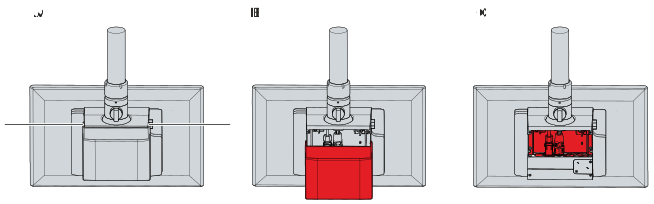 Fig.2: Access connection compartment
Further Information