Up/Down counter via KL1512 Digital Signal
The digital signal Up/Down counter is connected to the counter terminal KL1512 and provides its current count.
Settings
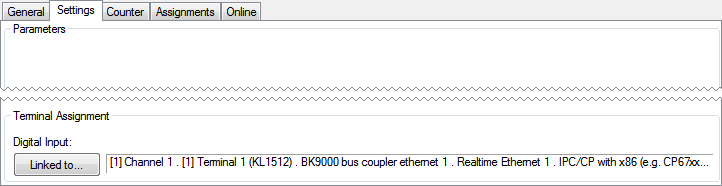
Pressing the Linked to...-button opens a dialog, where the designated counter-terminal can be assigned to this module.
Counter
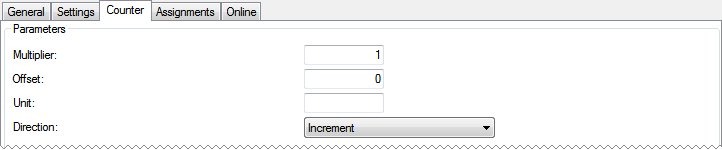
Parameters
- Multiplier: Multiplier for the counter.
- Offset: Offset to add to the counter.
- Unit: The unit of the scaled value. For display-purposes in the Building Automation Framework only.
- Direction: Counting direction.
Online
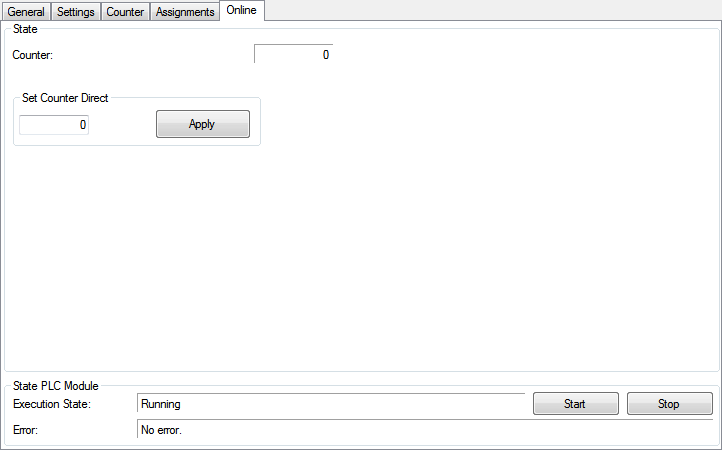
State
- Counter: Current value of the counter.
- Set Counter Direct: Value to set direct to the counter.
State PLC Module
- Execution State: Shows, if the module is running or stopped.
- Error: In case of an error, the error code and the error parameter are displayed in this box.
- Start/Stop: Starts/stops the module.