- EL2044 - 4-channel digital output, 24 V DC, 2 A, with extended diagnostics
- Commissioning
- TwinCAT Development Environment
- TwinCAT ESI Updater
TwinCAT ESI Updater
For TwinCAT 2.11 and higher, the System Manager can search for current Beckhoff ESI files automatically, if an online connection is available:

The call up takes place under:
“Options” → “Update EtherCAT Device Descriptions”
Selection under TwinCAT 3:
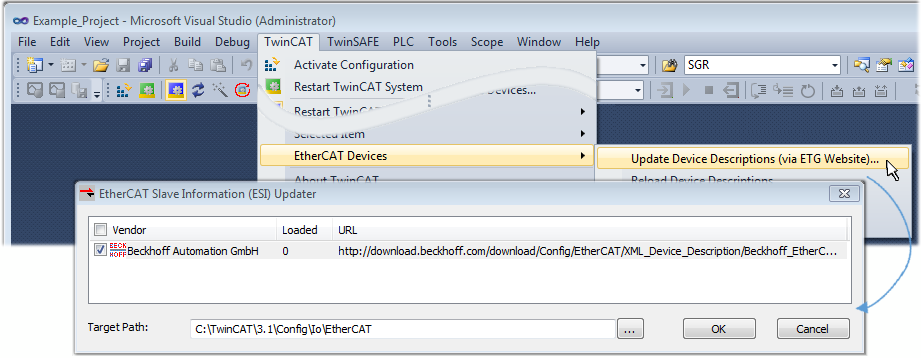
The ESI Updater (TwinCAT 3) is a convenient option for automatic downloading of ESI data provided by EtherCAT manufacturers via the Internet into the TwinCAT directory (ESI = EtherCAT slave information). TwinCAT accesses the central ESI ULR directory list stored at ETG; the entries can then be viewed in the Updater dialog, although they cannot be changed there.
The call up takes place under:
“TwinCAT” → “EtherCAT Devices” → “Update Device Description (via ETG Website)…”.