CSV
EP7211 operates in the cyclic velocity interface in the CSV operation mode. A defined velocity can be set via the Target velocity variable.
Step-by-Step
- Add the box to the configuration as described in the chapter Configuration in TwinCAT.
- Link the box with the NC as described in the chapter Integration into the NC configuration.
- Import the motor XML file into the Startup directory as described in the chapter Settings in the CoE.
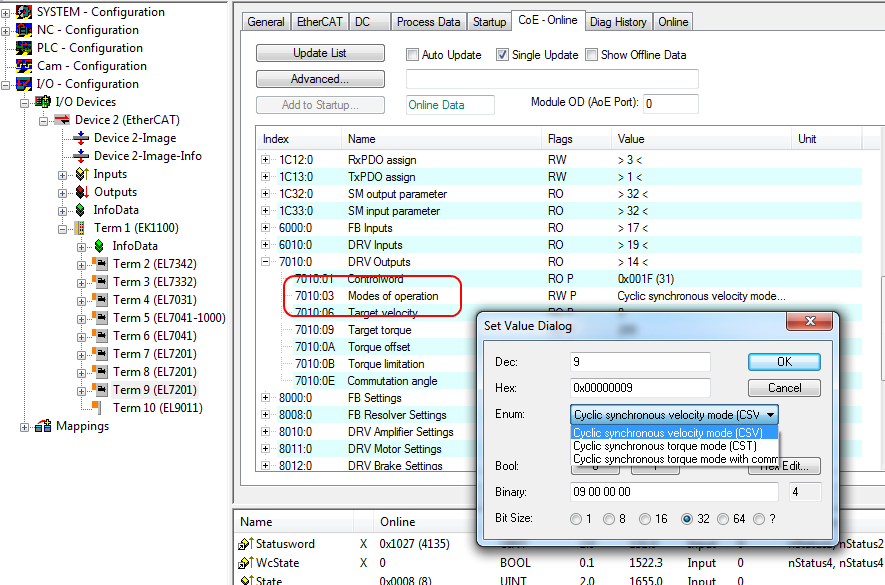
- Set the mode of operation in the CoE directory to Cyclic synchronous velocity mode (CSV), Fig. Selection of the mode of operation.
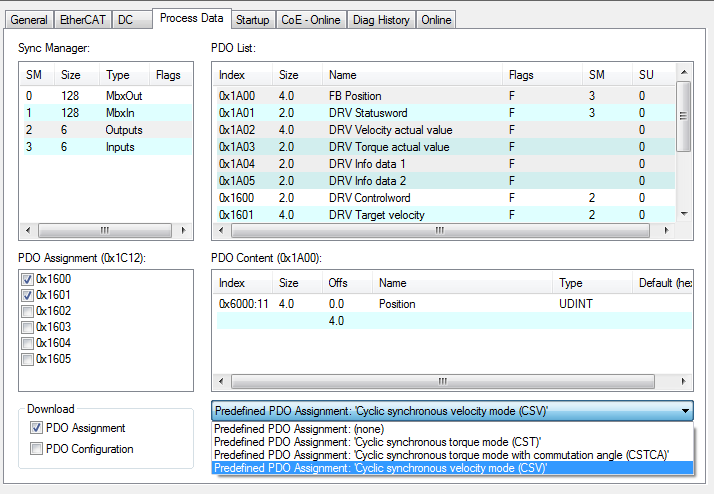
- Under Predefined PDO assignment, also select Cyclic synchronous velocity mode (CSV), Fig. Selecting a predefined PDO assignment.
- Activate the configuration (Ctrl+Shift+F4)
- Run through the State Machine of the box. There are two ways to do this:
- If you use the TwinCAT NC.
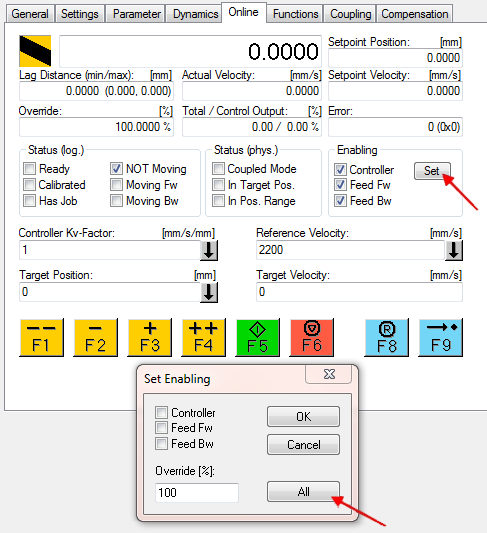
The State Machine is run through automatically by the NC. You can enable the axis in the Online tab of the axis.
Set all tick marks and set Override to 100% (see Fig. Set enables). The axis can then be moved. - If you don’t use the TwinCAT NC.
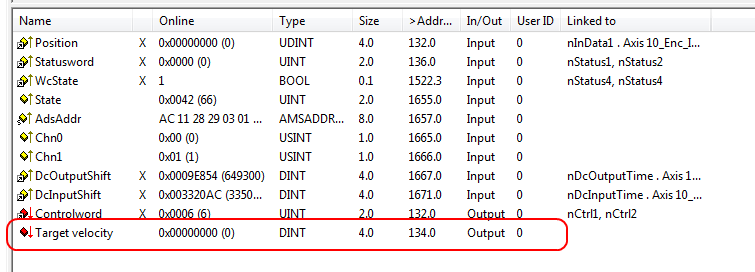
In this case you must run through the State Machine manually. To do this, follow the instructions in the chapter Commissioning without the NC. - The cyclic variable Target velocity (Fig. Torque specification) can be used to specify a defined velocity. The value in the index 0x9010:14 (0x6090, DS402) Velocity encoder resolution corresponds to 1 rpm.