Setting up - Network settings
 | Creation of the configuration It is not possible to set up a configuration through scanning in TwinCAT with redundancy path. You should therefore disconnect the redundancy port in order to scan for or create the slaves. |
Once the redundancy supplement has been installed, set up continues under TwinCAT 2.11 as follows:
- Create the primary port manually, or allow it to be found through a scan.
- Configure the redundancy properties of the EtherCAT system in the Advanced Settings. Specify the location from which the connection to the redundancy port is to be created - entry points that are not located at the end of a line topology can also be selected here.
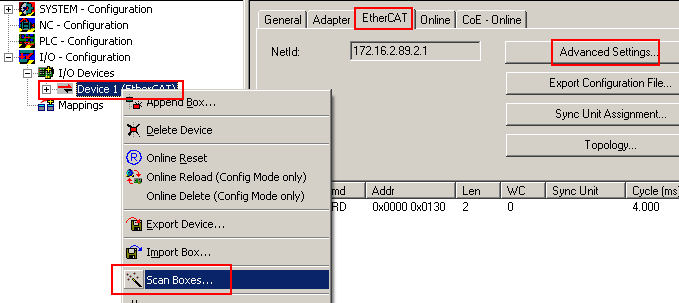 Fig.238: Setting up the device
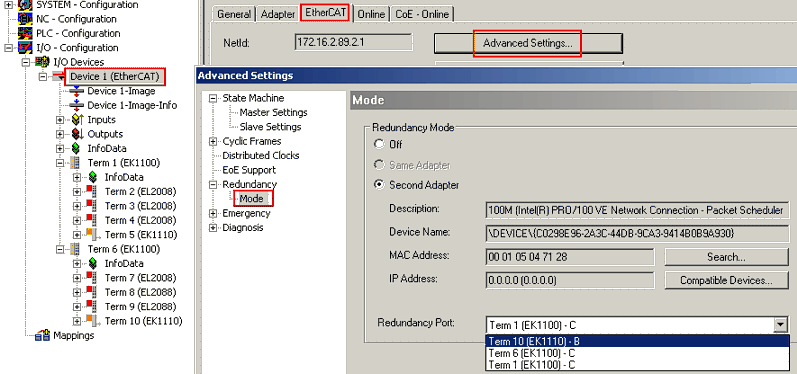 Fig.239: Parameterizing the redundancy
The cable redundancy is active following activation of the configuration.