- EP7047-1032 - Stepper motor box with incremental encoder
- Commissioning and configuration
- Setting the operating mode
Setting the operating mode
- 1. Decide which operating mode is required for your application. Selection wizard
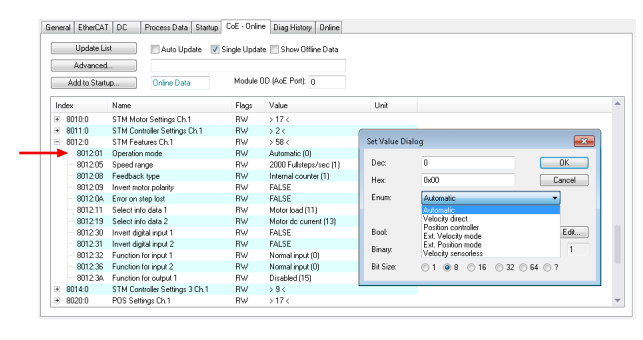
- 2. Set the operating mode via CoE parameter 8012:01hex.
- 3. Click the "Process data" tab.
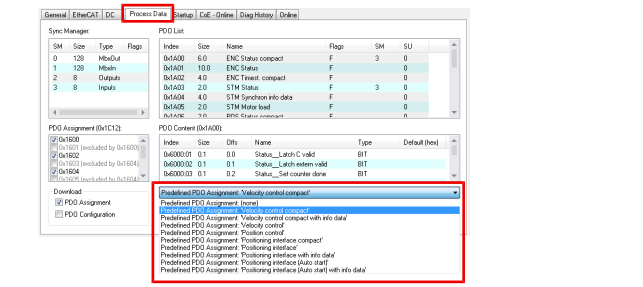
- 4. Select a suitable "Predefined PDO Assignment" for the selected operating mode.
Suitable "Predefined PDO Assignments" for the individual operating modes can be found in chapter Operating modes.
Note:
- if you have set the "Automatic" operating mode, the selection of the "Predefined PDO Assignment" determines the actual operating mode.
- if you select "Positioning Interface [...]", the link to an NC axis is broken.
- 5. Set all parameters required for the selected operating mode.
Further Information