Adapt process image (EPP1819-0005)
You can set which process data objects are transferred in the process image of an EtherCAT device. This can be useful for the following reasons:
- Activate additional process data objects to control sub-functions that are not activated in the factory setting.
- Remove unused process data objects from the process image.
There are two ways to adapt the process image:
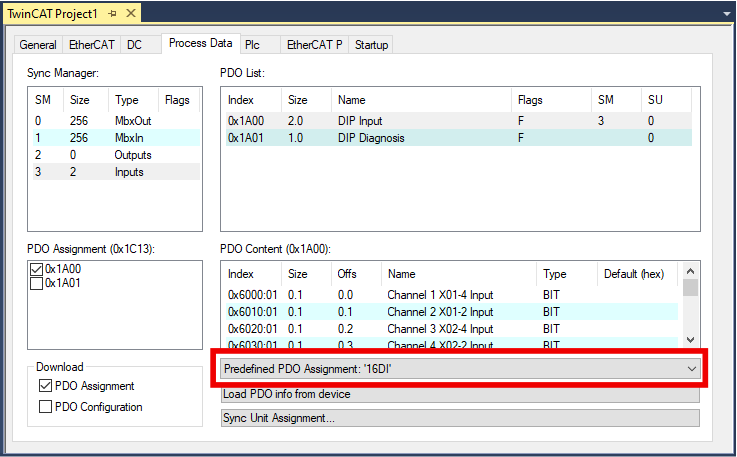
- (recommended) Select an existing "Predefined PDO Assignment".
"Predefined PDO Assignments" are useful predefined combinations of process data objects. See chapter Setting a Predefined PDO Assignment. - Enable or disable individual process data objects.
See chapter Enabling individual process data objects.
Setting a Predefined PDO Assignment
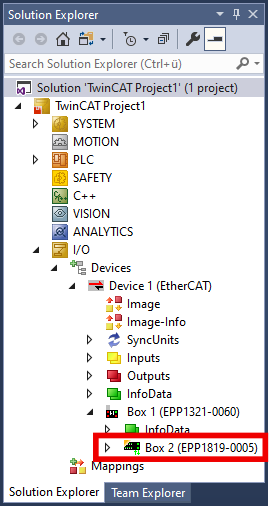
- 1. Double-click in the Solution Explorer on the EtherCAT device whose process image you want to change.
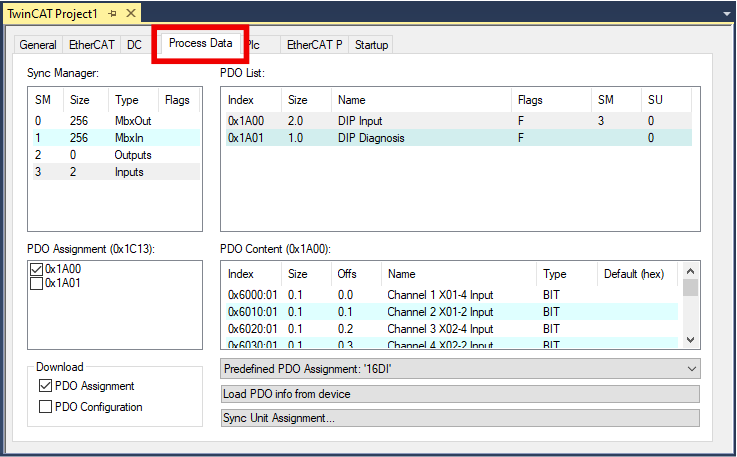
- 2. Click the "Process Data" tab.
- 3. Select the desired entry in the drop-down menu "Predefined PDO Assignment".