8-gang + 2 Push-button
A push-button module is a special functionality of the Building Automation Framework to realize a simple, but nevertheless comprehensive room-control via a keypad. By an effective multiple configurations of the buttons, up to 3 blinds, 6 dimmable lights and 8 scenes can be operated with 10 individual buttons. Moreover, it is possible to change the lighting of the 6 scenes via the keypad and store them persistently in the controller. The modules are implemented in the BA-Manager as a Composite Module and are fully functional as soon as the settings were implemented and activated in the BA-Manager.
Two scene-hotkeys can be allocated for calling up scenes independent of the current mode. They are designed to enable persons who are not familiar with the push-button modules to utilise room automation (through standard scenes such as base-lighting or room-off).
Settings

Parameters
- Automatic Operating Mode Reset: The time when the system change back automatically to the scene-mode from sunblinds and lighting-modes.
- Latching Time: Time after which a keystroke is interpreted as holding, rather than clicking.
Push-buttons
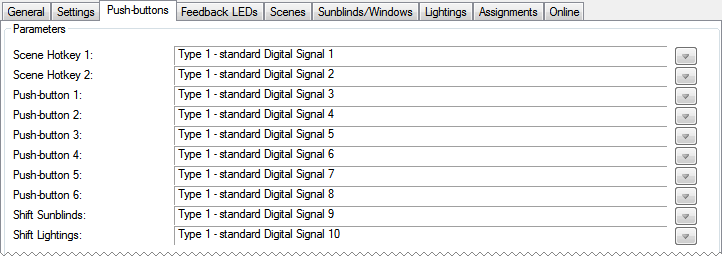
Use this menu to link the button functions with the corresponding digital signals.
Feedback LEDs
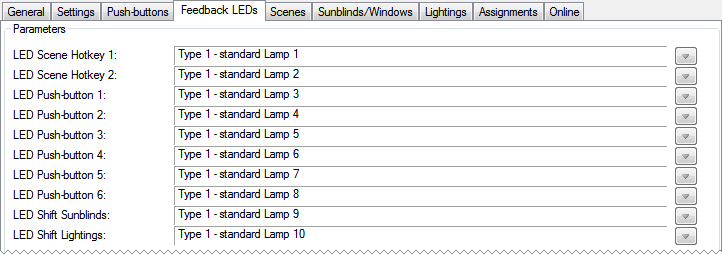
Use this menu to select lamps that show the current state of a button.
Scenes
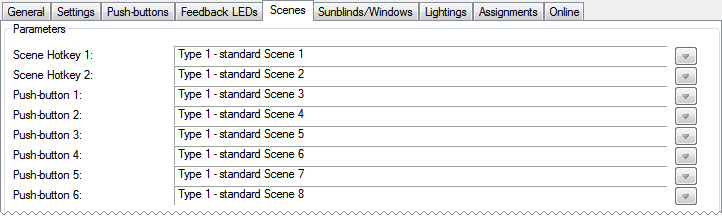
Allocate a scene to the buttons.
Sunblinds/Windows

Select a shading configuration and/or window to be controlled via the respective buttons.
Parameters
- Display the State of the Sunblinds/Windows: Check to determine whether the LEDs should reflect the state of the shading devices and windows.
Lightings
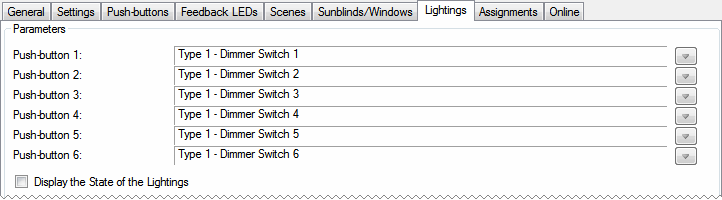
Select a lighting configuration to be controlled via the respective button.
Parameters
- Display the State of the Lightings: Check to determine whether the LEDs should reflect the state of the lightings.
Online
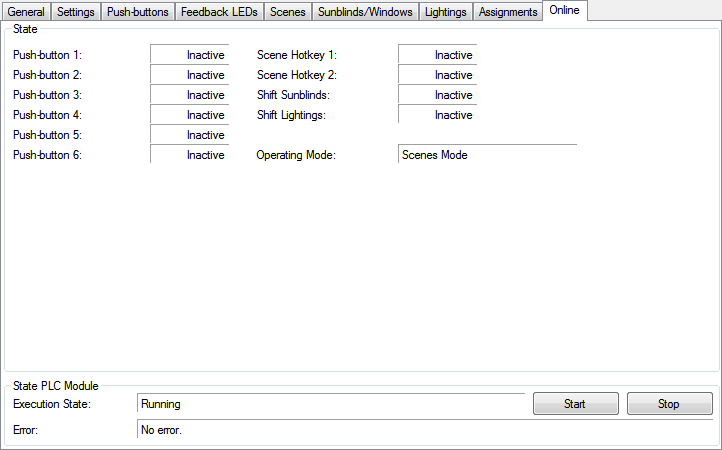
State
- Push-button 1...6,
Scene Hotkey 1...2,
Shift Sunblinds,
Shift Lightings: Displays the state of the buttons. - Operating Mode: Displays the current Operating Mode.
State PLC Module
- Execution State: Shows if the module is running or stopped.
- Error: In case of an error, the error code and the error parameter are displayed in this box.
- Start/Stop: Starts/stops the module.