Standard Analog Signal
The Standard Analog Signal analyses the value of an analog input terminal.
Settings
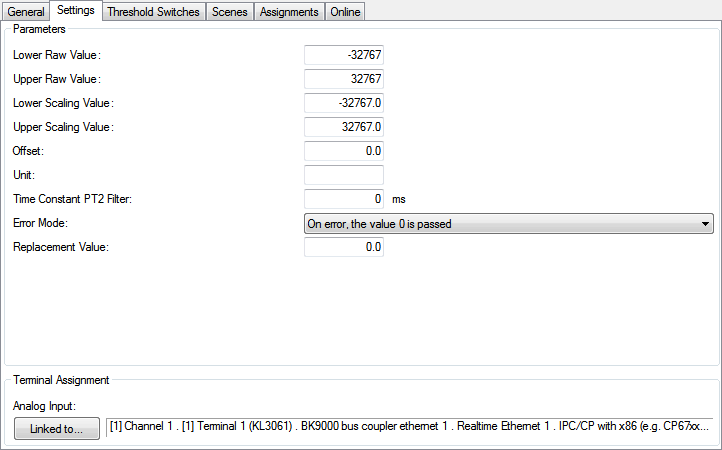
Parameters
- Lower Raw Value,
Upper Raw Value,
Lower Scaled Value,
Upper Scaled Value: These parameters build up the linear equation for the conversion raw value ↔ scaled value.
The Lower Raw Value must always be smaller than the Upper Raw Value. - Offset: Basically, the relationship between raw value and scaled value is clearly defined by the linear equation, described above. This offset will be added to the calculated scaled value for fine-tuning.
- Unit: The unit of the scaled value. For display-purposes in the Building Automation Framework only.
- Time Constant PT2 Filter: If necessary, the calculated scaled value can be damped by a PT2-Filter. If this feature is not used, the time has to be set to 0ms.
- Error Mode: Determine how errors are handled.
- Replacement Value: In case of an error, this value is used instead.
Pressing the Linked to...-button opens a dialog, where the designated input-terminal can be assigned to this module.
Threshold Switches
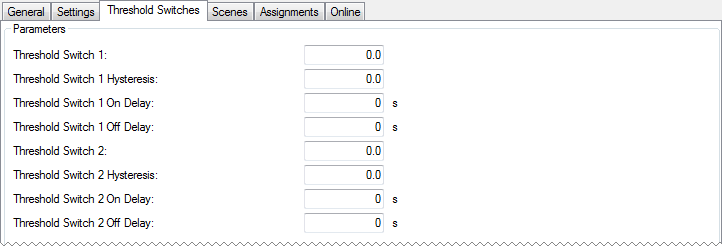
Two threshold-switches can be defined for the scaled value. The rising and falling edges of these switches can be used to execute scenes (see Scenes-menu below). Additionally a hysteresis and delay can be defined to dampen the behaviour of the scaled value.
Scenes
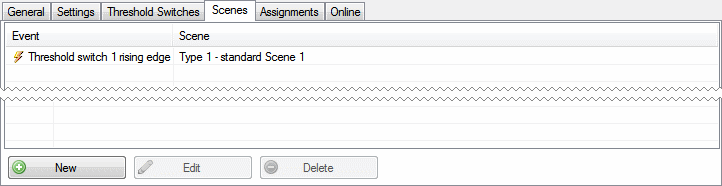
Pressing the New-button within the Scenes-menu opens a dialog, where the rising and the falling edge events of the threshold-switches can be assigned to the execution of a scene. The scene however has to be defined previously.
Online
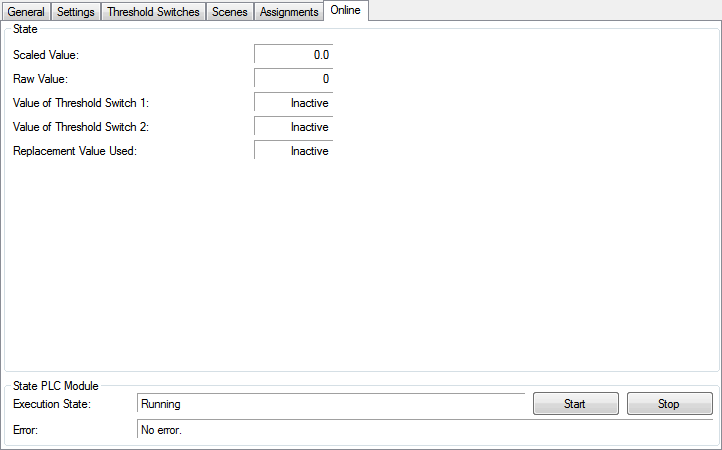
State
- Scaled Value: Calculated scaled value as described in the settings menu (raw value → linear equation → additional offset → PT2-filter → scaled value).
- Raw Value: Raw value received from the analog input terminal.
- Value of Threshold Switch 1/2: Active if the scaled value exceeds the threshold, otherwise inactive.
- Replacement Value Used: Indicates whether the Replacement Value is used.
State PLC Module
- Execution State: Shows if the module is running or stopped.
- Error: In case of an error, the error code and the error parameter are displayed in this box.
- Start/Stop: Starts/stops the module.