Up- and downloading of programs
The Bus Terminal Controller has a memory for the source code. It can be used for storing the program, the task configuration, and the libraries. Should the memory be insufficient, the source code may be stored without task configuration and libraries. This takes up significant less memory space!
General settings
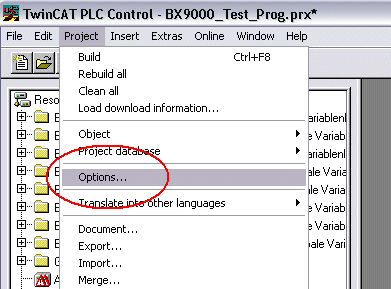
The timing of the source code download to the target system can be specified via Edit/Options. Open the options menu.
Select Source Download.
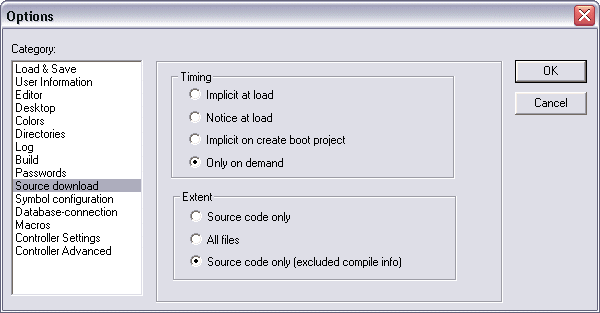
Here you can set which parts of the source code are to be downloaded to the Bus Terminal Controller, and when.
Source code only: the prx file with information on the online change is transferred. Login via online change is possible (the PLC does not stop).
All files: as Source code only, plus all required libraries.
Source code only (compile info excluded): only the prx file is transferred. Login is only possible when the PLC stops.
Which option you can use depends on the size of your projects.
Downloading a program
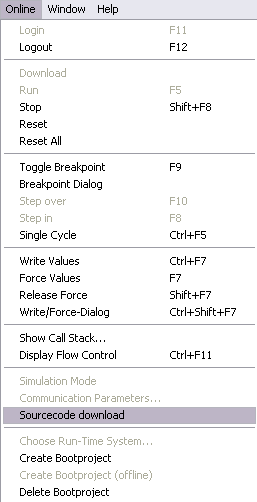
The source code can be transferred to the target system on request. This requires the user to be logged in with his program. Under Online/Source code download the program code can now be transferred to the Bus Terminal Controller.
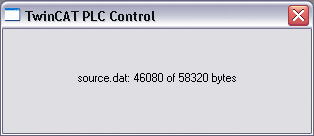
After a short delay, a window will open that indicates the download progress.
Uploading a program
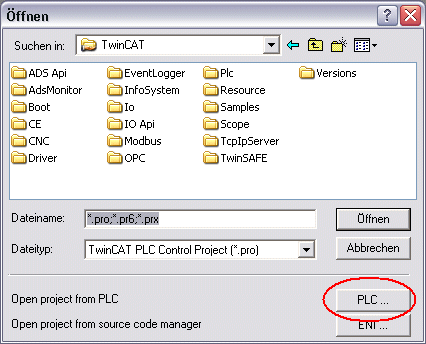
For uploading the program code again, open a new file in PLC Control. Then click on the PLC button.
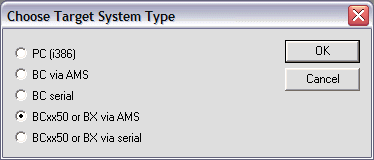
Select the data transfer route:
- BCxx50 or BX via AMS, if you are connected to the Bus Terminal Controller via the fieldbus, or
- BCxx50 or BX via serial, if you are connected to the Bus Terminal Controller via the serial interface.
Then select the device and confirm with OK.
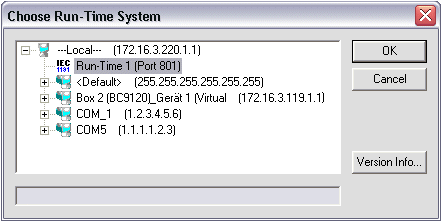
The source code will now be uploaded.
Password
You can protect your project with a password (in PLC Control Project/Options/Passwords).