Fast Axis Stop
Fast Axis Stop



A stop is usually triggered by PLC code using MC_Stop. However, there are special applications that require the time delay for the stop to be as small as possible. Here, bit 7 of Drive.Inputs.In.nState4 comes into play. This bit can trigger a stop directly without having to go through the PLC process image.
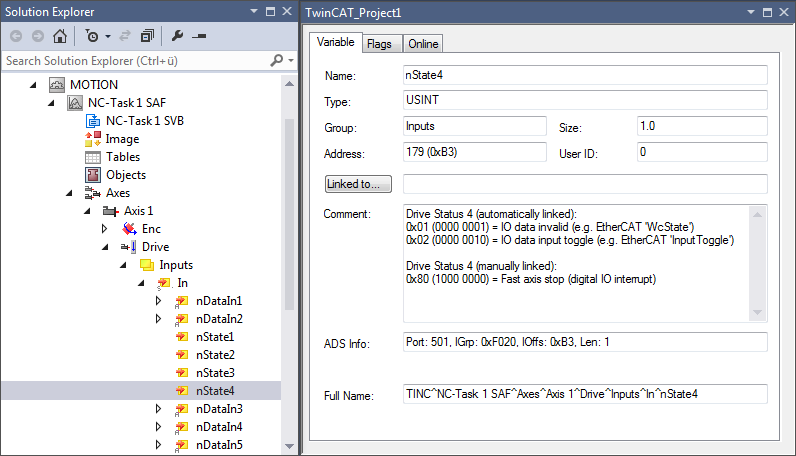
Drive Status 4 (manually linked):
Bit 7 = 0x80 (1000 0000) = Fast Axis Stop (digital IO interrupt)
nState4->Bit 7 variable
Bit 7 of Drive.Inputs.In.nState4 can be assigned to any event source.
Fast Axis Stop Signal Type
The "Fast Axis Stop Signal Type (optional)" list comprises six elements:
- OFF (default)
No Fast Axis Stop is executed via the Drive.Inputs.In.nState4.7 bit. - Rising Edge
A Fast Axis Stop is executed on a rising edge of bit 7 of Drive.Inputs.In.nState4. - Falling Edge
A Fast Axis Stop is executed on a falling edge of bit 7 of Drive.Inputs.In.nState4. - Both Edges
A Fast Axis Stop is executed on a rising or falling edge of bit 7 of Drive.Inputs.In.nState4 - High Active
A Fast Axis Stop is executed if bit 7 of Drive.Inputs.In.nState4 is set. - Low Active
A Fast Axis Stop is executed if bit 7 of Drive.Inputs.In.nState4 is not set
Fast Acceleration, Fast Deceleration, Fast Jerk
This parameterization is optional. If no values are specified, the default dynamics are applied.
Further Information:
- MC_Stop (PLC library Tc2_MC2)