Example 1
The procedure for creating a motion diagram is illustrated in this simple example.
The task:
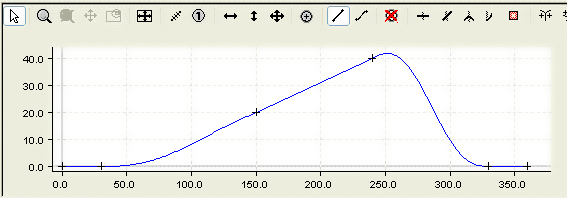
The following slave motion is to be implemented for a rotation of the master axes from 0 to 360 degrees.
- A rest (stationary slave axis) between 0 and 30 degrees.
- A linear motion from 150 to 240 degrees from slave position 20 mm to slave position 40 mm.
- A rest (stationary slave axis) between 340 and 360 degrees.
- The other motion sections are to join those mentioned above smoothly and with limited jerk.
- In the tree structure, create a master and its corresponding slave via MOTION > Tables (see Introduction).
- After selecting Slave 1 in the tree structure, both the graphic window and the table window appear.
- In the graphic window, click the approximate positions of the points in the window using the Insert Point command.
The corresponding values will then be inserted into the table window.
- To turn the motion plan into a motion diagram, you now need to add some information.
- For the first, third and fifth sections we use the Synchronous Function command to specify by clicking with the mouse in the corresponding sections that a linear motion should take place there. In the second and fourth sections, the Automatic Function command is used to implement automatic adaptation to the boundary conditions.
- You can now use the move commands to manipulate the position of the points.
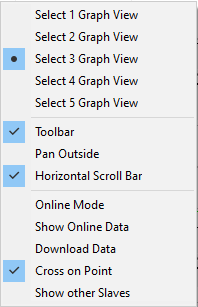
By right-clicking and selecting Select Graph 3 View, the velocity in the second graph window and the acceleration in the third graph window are displayed in addition to the slave position in the first graph window.
The size of the windows can be changed interactively by positioning the mouse on the edge and moving it with a left click.
- To ensure that the exact positions are realized, enter them now in the table view.

 | The same (basic) commands that can be used in MS Excel can be applied in the table. Cutting and pasting is possible within each cell. |
The motion diagram that has been created can be saved as a file in the slave's properties window.