Checking the result
After the download, you can check whether the mover has been successfully deactivated and whether the total number of movers has decreased.
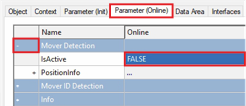
- ►In the project window click on the Parameter (Online) tab
- ►Expand Mover Detection
- ►Make sure the IsActive parameter is FALSE
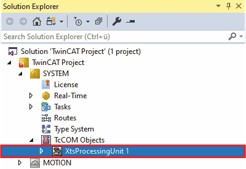
- ►Expand Solution Explorer > TwinCAT Project > SYSTEM > TcCOM Objects
- ►Double click on XtsProcessingUnit
- ►In the project window click on the Parameter (Online) tab
- ►Expand Mover Detection
- ►Check if the number of movers has decreased at ActiveMoverCount
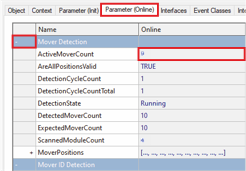
If the mover is passive and the number of movers has decreased, the mover can be removed from the system.