XY Shape Monitor Rectangle 2Ch

The XY Shape Monitor Rectangle 2Ch count the amount of intersections of an XY input with a specified rectangle shape.
Optionally, a Boolean signal can be selected for the Enable Execution input so that the algorithm is only active if the value of the selected signal is TRUE.
Configuration Options
- Lower Left Corner X: X position of the lower left rectangle corner.
- Lower Left Corner Y: Y position of the lower left rectangle corner.
- Length X: Length of the rectangle in positive X direction.
- Length Y: Length of the rectangle in positive Y direction.
Output values
- Within Shape: Indicates whether the input signal is currently within the specified shape.
- Intersection: Indicates whether the input signal currently crosses the specified shape.
- Count Intersections: Counts the total number of intersections of input signal and shape.
- Time Intersection: Indicates the time of the last intersection event → the event can be dragged and dropped into the Scope chart to display it as a trigger-event.
Standard HMI Controls
For the XY Shape Monitor Rectangle 2Ch algorithm, the following HMI controls are available for generating an Analytics Dashboard:
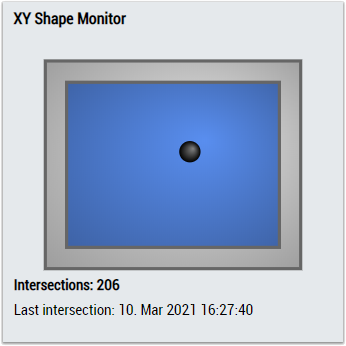
1. The XYShapeMonitor control visualizes the output values Within Shape, Intersection, Count Intersections and Last Intersection.
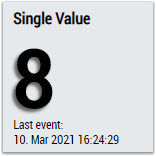
2. The SingleValue control visualizes the output values Intersection and Last Intersection.
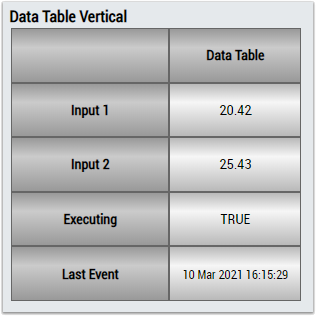
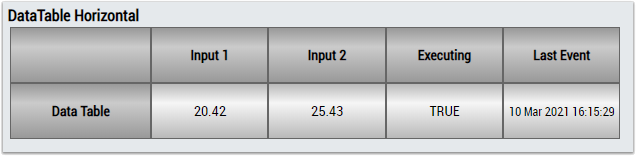
3. The Table Control or Multivalue Control visualizes all output values: Within Shape, Intersection, Count Intersections, Last Intersection.
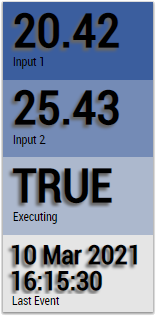
Alternatively, customer-specific HMI controls can be mapped in the XY Shape Monitor Rectangle 2Ch algorithm using the Mapping Wizard.