- PLC Safety
- Safety Editor
- Alias Level
- Alias Devices
- Importing an alias device from the I/O-tree
Importing an alias device from the I/O-tree
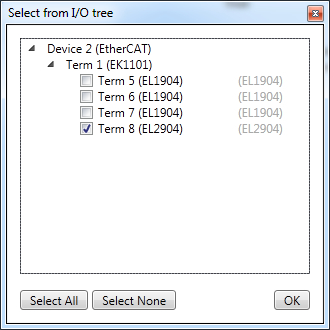
If there is already an existing I/O-tree within TwinCAT 3, the user can also import alias devices from this I/O-tree. This is done by choosing "Import Alias Device(s) from I/O-configuration" in the context menu of the container "Alias Devices". The following dialog is shown, where the terminals of the I/O-configuration can be chosen and added to the safety project.