- TwinCAT Backup configuration
- Profile Update
Profile Update
In order to display the backup profile files that have been created, the tree structure is rebuilt through the "Update profiles" context menu.
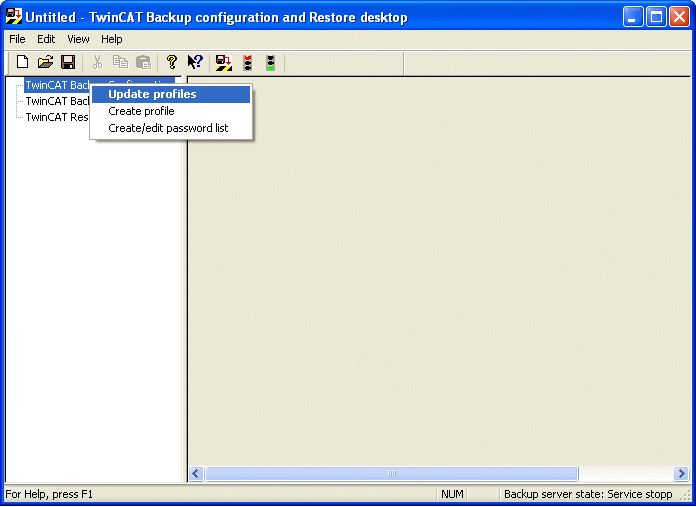
If profiles exist, they are displayed underneath the configuration entry. After this it is possible to edit and manage the profiles.
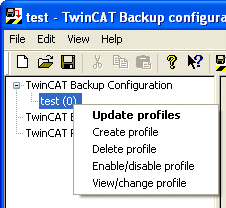
Create profile: create new profile
Delete profile: delete profile
Enable/Disable profile: enable/disable profile
View/change profile: view/change profiles