DALI smartSPOT Digital Signal
The digital signal DALI smartSpot evaluates the presence indication of a DALI SmartSpot.
Settings
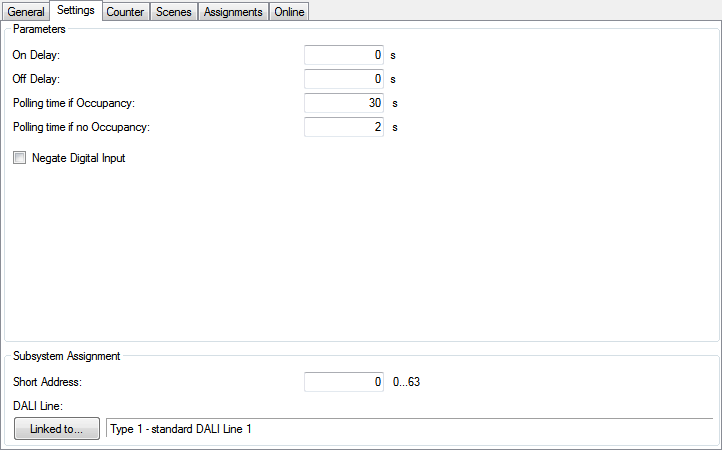
Parameters
- On Delay: Time delay on.
- Off Delay: Time delay off.
- Polling time if Occupancy: Time if occupancy was detected.
- Polling time if no Occupancy: Time if no occupancy was detected.
- Negate Digital Input: Negates the digital input.
Pressing the Linked to...-button opens a dialog, where the designated DALI-line can be assigned to this module.
Counter
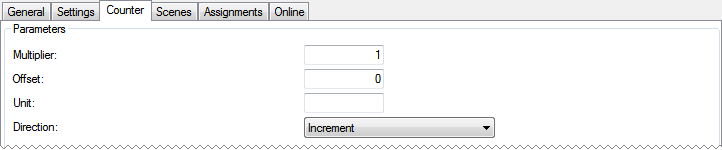
Parameters
- Multiplier: Multiplier for the counter.
- Offset: Offset to add to the counter.
- Unit: The unit of the scaled value. For display-purposes in the Building Automation Framework only.
- Direction: Counting direction.
Scenes
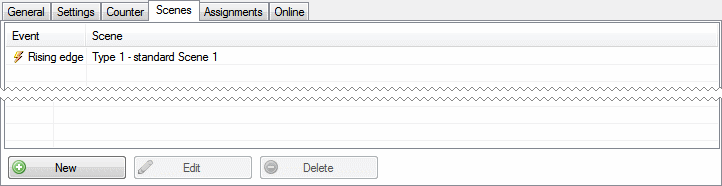
Pressing the New-button within the Scenes-menu opens a dialog, where the analysed events
- Rising edge
- Falling edge
- Edge changed
can be assigned to the execution of a scene. The scene however has to be defined previously.
Online
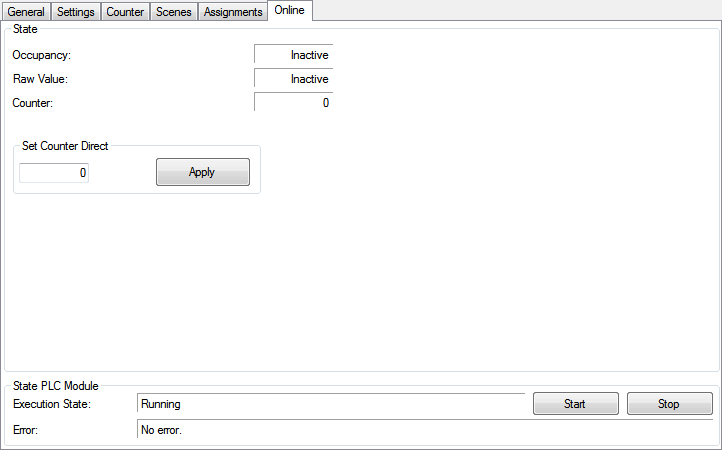
State
- Occupancy: Occupancy detection.
- Raw Value: Raw value received from the digital input terminal including activated / deactivated negation.
- Counter: Current value of the counter.
- Set Counter Direct: Value to set direct to the counter.
State PLC Module
- Execution State: Shows, if the module is running or stopped.
- Error: In case of an error, the error code and the error parameter are displayed in this box.
- Start/Stop: Starts/stops the module.