- CX2550-0x79 USB extension
- Mounting and wiring
- Attaching the system interface to the CX20x0 system
Attaching the system interface to the CX20x0 system
The USB extension is positioned directly between the CPU and the power supply unit.
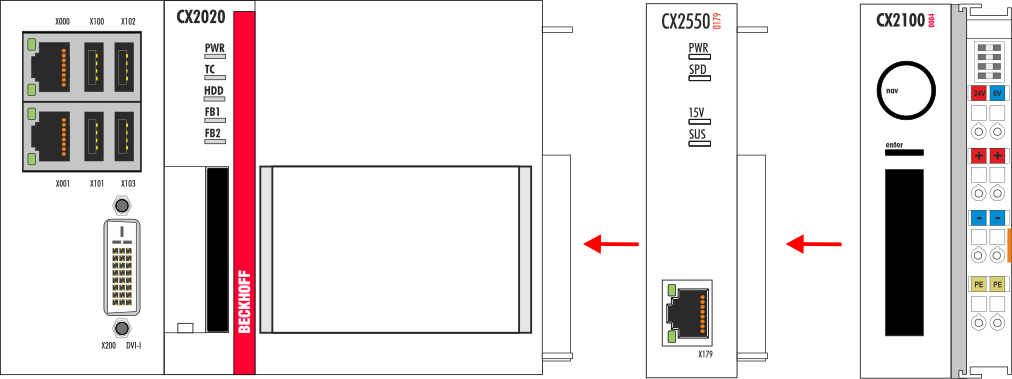
When the module is connected to the CPU it engages audibly.
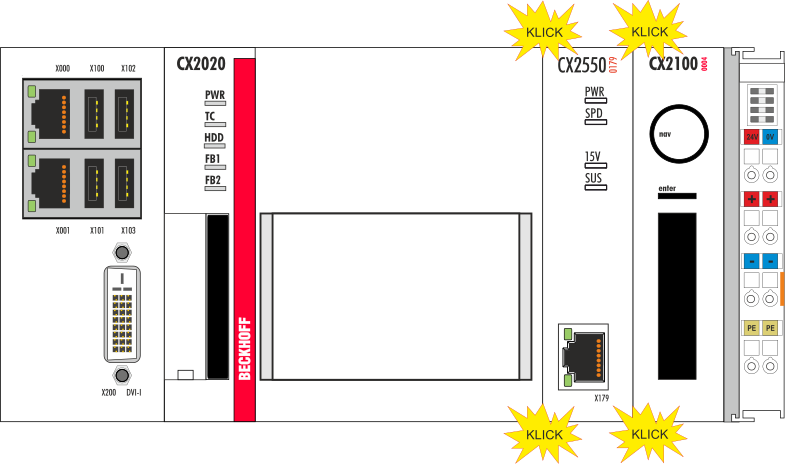
Further modules can be connected to the system in the same way. Please note that some modules are connected on the left-hand side of the CPU. Once all modules are connected, the system can be placed on the DIN rail as a block. For details please refer to the section on DIN rail mounting.
 | Maximum number of extension modules Up to two extension modules can be attached on the right-hand side of the system. |