Configuration and execution
You can define the tuning goals here, start the process, and export the results.
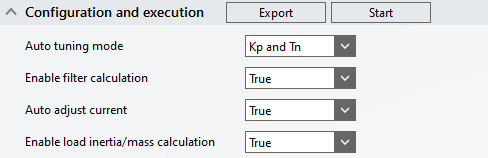
- Export: Opens the file window for saving the generated TwinCAT 3 Bode Plot project. See also: Exporting the tuning results
- Start: Starts the autotuning.
- Auto tuning mode: Defines the drive parameters to be searched for tuning. The available options are:
- Kp and Tn: Calculation of the gain factor of the speed controller and the integration time constant.
- Kp only: Calculation of the gain factor of the speed controller without adjusting the integration time constant.
- Filter based: Pure filter calculation without calculation of the other parameters. After applying the calculated filters, it is recommended to adjust the controller parameters.
- Enable filter calculation: Enables/disables the calculation of current command value filters for available filter slots. See: ConfigureDriveManager
- Auto adjust current: Disables the automatic adjustment of the base and signal amplitude. If disabled, the values can be adjusted in the Bode settings area.
- Enable load inertia/mass calculation: Enables/disables the calculation of the load inertia of the mechanical system (total mass).