| BK9500 - Bus Coupler for USB |
Configuration by means of the TwinCAT System Manager
Insert a virtual USB interface under I/O devices in the TwinCAT System Manager. If Bus Couplers are already connected to the USB network, the system manager can automatically read these too. In this way the configuration of all the connected Bus Couplers and Bus Terminals is loaded. It is then possible to adapt this configuration to your particular needs in the System Manager.
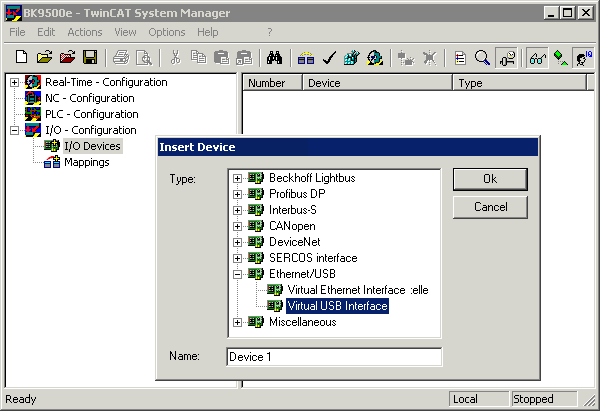
Adding a virtual USB interface
Stop the TwinCAT system
Older TwinCAT versions For older TwinCAT versions (see chapter Troubleshooting), the TwinCAT system must be stopped for automatic reading of the connected USB couplers! | ||

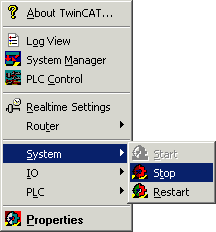
Stopping the TwinCAT system
Display of control and status bytes of the connected terminals For terminals,
| ||