Application sample - Lower-level control system
The application samples have been tested with a test configuration and are described accordingly.
Certain deviations when setting up actual applications are possible.
The following hardware was used for the test configuration:
- TwinCAT master PC with Windows XP Professional SP 2, TwinCAT version 2.10 (Build 1305) and INTEL PRO/100 VE Ethernet adapter
- Beckhoff Ethernet coupler terminal EK1100, terminals EL1012, EL6601 and EL9010
- Beckhoff Embedded PC CX9000 (subordinate control unit) with Windows CE v5.00, HW 1.4, terminals EL2032, EL9010
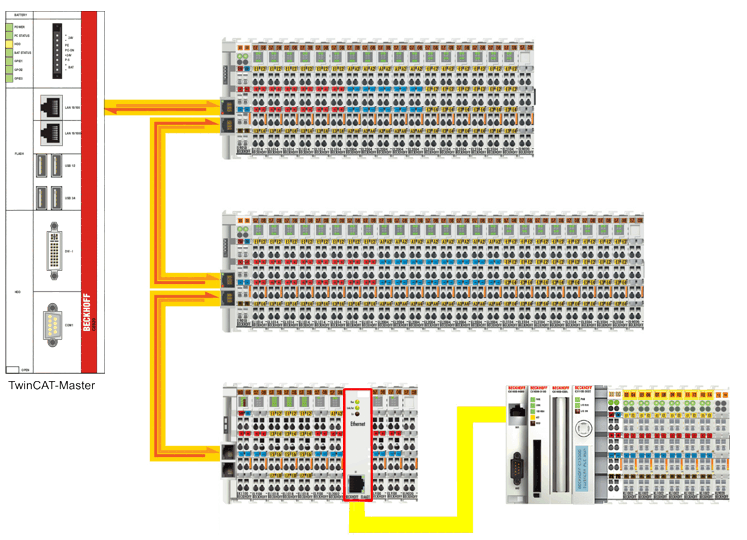 Fig.160: Integration of a lower-level control system
Configuration of the subordinate control system
For a connection with the TwinCAT master PC via the EL6601 the network address of the subordinate control system has to be set according to the IP number range of the TwinCAT master PC subnet.
- From the desktop of the lower-level control system (Windows CE) choose Start -> Settings -> Network and Dial-up Connections to start the configuration of the network settings
(Notes on setting the network address of a lower-level controller can also be found in the EtherCAT system documentation and the TwinCAT documentation) - Open the network settings for this connection by double-clicking on the TCIXPNPE1 connection (Ethernet port)
- Enter an IP number from the IP number range of the subnet (e.g. 192.168.0.39/255.255.255.0) for the TwinCAT master PC and confirm with OK.
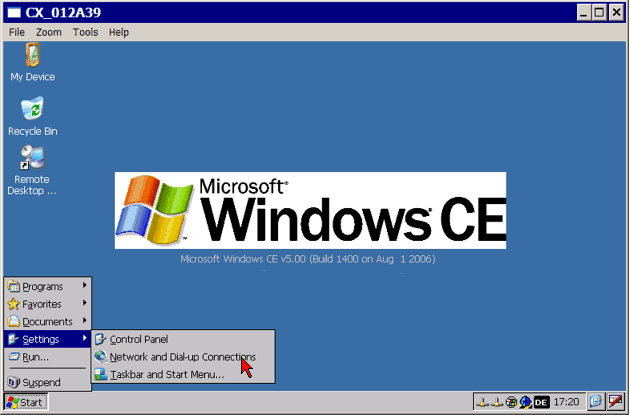 Fig.161: Select Configuration of network connections
 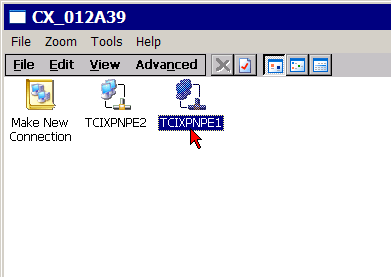 Fig.162: Select network settings for Ethernet port
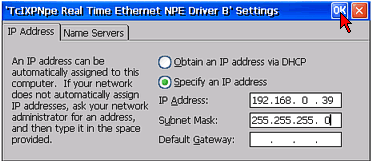 Fig.163: Enter IP address
 Configuration at the TwinCAT master PC and establishing a connection
- Start the TwinCAT System Manager in Config mode, read the Bus Terminal configuration, and activate free-run mode
- The EL6601 should appear in the system configuration being in OP mode (see Online tab EtherCAT Status Machine)
- In analogy to the configuration of a network printer, the IP number of the TwinCAT master PC in the subnet might be 192.168.0.1, for sample
- Connect the subordinate control unit (target system) with the EL6601 via a CAT-5 (1:1) cable
- Start another system manager session in Config mode and click on Select Target System...-> Search (Ethernet)
- Enter the IP address of the subordinate control system in the field next to Enter Host Name / IP:
- After confirming the button Enter Host Name / IP: the name of the target system appears in the selection box
- Click on Add Route and enter the access data for the target system as required
- After closing the dialog box the name of the target system appears in the selection menu
- Make your selection and confirm with OK
- Activate free-run mode for reading the Bus Terminal configuration of the subordinate control system
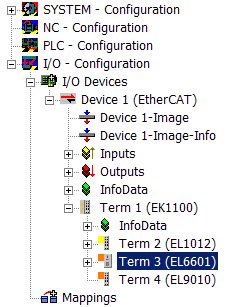 Fig.135: EL6601 in the configuration
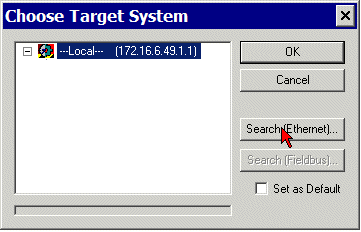 Fig.165: Select target system
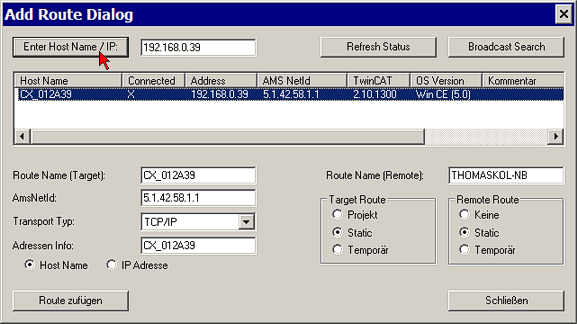 Fig.166: In the “Route Dialog” add the route of the target system
 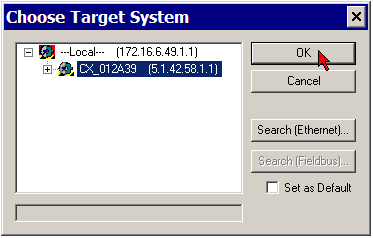 Fig.167: Confirm selection
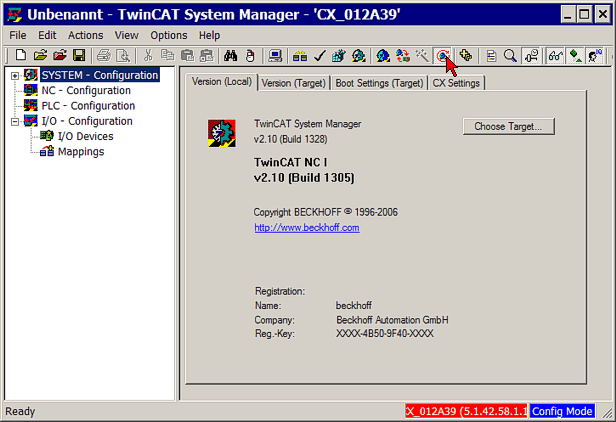 Fig.168: Enable FreeRun